28
Notes:
• If you want to start the search from a frequency
already stored in one of your scanner’s chan-
nels, press
MAN
or
PROG
, use the number keys
to enter the channel number, then press
MAN
or
PROG
again.
• If you enter an invalid frequency, the scanner
displays
Error
. Simply repeat this step.
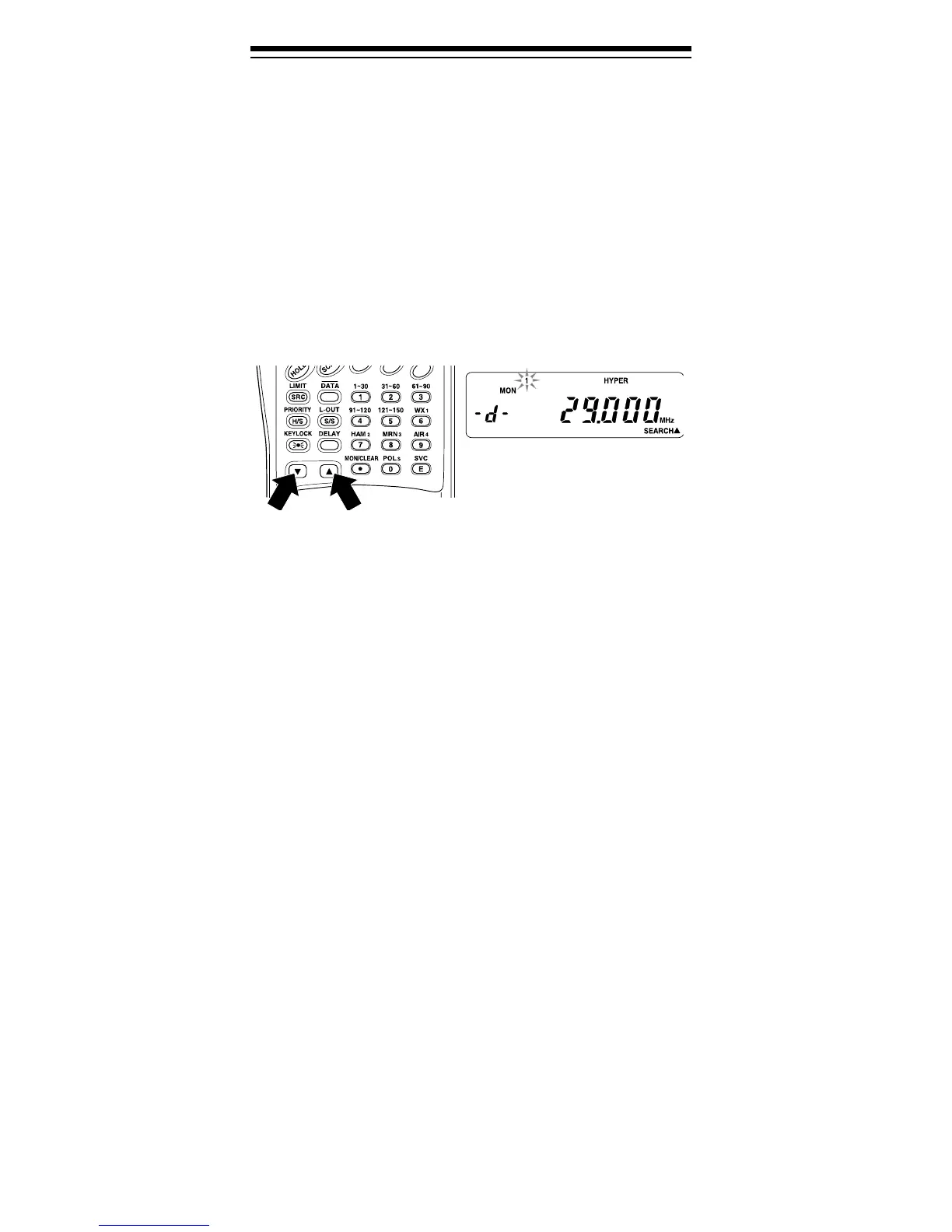
3. Press t to search downward or s to search upward
from the selected frequency.
-d-
,
SEARCH
, and t
or s appear.
4. When the scanner stops on a transmission,
quickly press either:
•
HOLD
to stop searching so you can listen to the
transmission.
HOLD
appears.
•
MON/CLEAR
to store the displayed frequency
into the current monitor memory.
To release hold and continue searching, press
HOLD
or hold down t or s for at least 1 second. Or,
if you did not press
HOLD
, simply press t or s to
continue searching.
Note: To step through the frequencies while
HOLD
is displayed, press t or s.
Service Bank Search
You can search for weather, ham, marine, aircraft, or
police (fire/emergency) transmissions even if you do
not know the specific frequencies being used in your
area. The scanner is preprogrammed with all the fre-
quencies allocated to these services. To use this fea-
ture, press
SVC
.
SVC
appears and the scanner
searches through the weather service band. To select
a different service bank, press the desired service bank
key (
WX1
,
HAM2
,
MRN3
,
AIR4
, or
POL5
). The corre-
sponding service band number (
-1-
,
-2-
,
-3-
,
-4-
,
or
-5-
) appears, and the scanner starts searching the
band.


 To Next Page
 Loading...