EasyManua.ls Logo

Radio Shack HTX-252 - User Manual

Radio Shack HTX-252
40 pages
Print Icon
To Next Page IconTo Next Page
Loading...
Cat. No. 19-1127
OWNER’S MANUAL
Please read before using this equipment.
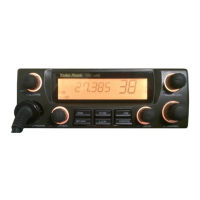
HTX-252
2–Meter Amateur
FM Mobile Transceiver

Questions and Answers

  • K
    Kathy Sanchez PhDJul 31, 2025
    What to do if my Radio Shack Transceiver has problems with reception?
    • E
      Evan BrownJul 31, 2025
      If you are experiencing reception issues with your Radio Shack Transceiver, several factors could be the cause. First, the squelch setting might be too high; try adjusting it as needed. Second, you may be tuned to a non-operating frequency, so ensure you are tuned to an active frequency. Third, the antenna may not be properly attached; check it and reconnect if necessary. Finally, poor antenna cable connections could be the culprit; inspect the connections and repair or replace them if needed.
  • J
    johnsonthomasAug 10, 2025
    What to do if my Radio Shack HTX-252 has problems with transmission?
    • J
      Julie BellAug 10, 2025
      If you're having trouble with transmission on your Radio Shack Transceiver, there are a few things you can check. Start by examining the antenna cable connections and repair or replace them if necessary. Then, check all connections for corrosion and clean if needed. Also, make sure you firmly press and hold down the PTT button when transmitting. Finally, ensure the microphone connection is secure.
  • S
    Stephen HamptonSep 10, 2025
    How to fix no power on my Radio Shack Transceiver?
    • C
      Christina HarrisonSep 12, 2025
      If your Radio Shack Transceiver has no power, check the fuse and replace it if it's blown. Also, inspect the power cables and connections, repairing or replacing them if they are broken or disconnected.

Summary

Features of the HTX-252 Transceiver

Power Settings

Select between 25W and 10W for transmission based on communication needs.

Memory and Call Channels

Store up to 10 frequencies and settings for quick access and convenience.

Frequency Range

Offers coverage from 144-148 MHz (TX) and 136-174 MHz (RX) for wide communication.

DTMF Microphone Control

Utilize DTMF tones for accessing repeaters and autopatches via the microphone.

Additional Transceiver Features

Introduction to Amateur Radio

Preparation and Mounting

Attaching Microphone Holder

Step-by-step guide to install the microphone holder in a vehicle.

Mounting the Transceiver

Advice on selecting an optimal and safe location to mount the transceiver.

Connecting an Antenna

Operation Basics

Understanding Repeaters

Memory Operation

Storing Frequencies

Steps to store frequencies, offsets, and CTCSS tones into memory.

Recalling Memories

How to access and select previously stored memory channels.

Calling-Frequency Memory

Utilizing a special memory for quick access to a programmed frequency.

Scanning Operation

Scanning Active Frequencies

Method for scanning the entire frequency band for active signals.

Scanning Memory Locations

Procedure for scanning through stored memory channels.

CTCSS Features

Continuous Tone Squelch

Enabling and configuring CTCSS for selective reception.

Troubleshooting

Specifications

Radio Shack HTX-252 Specifications

General IconGeneral
BrandRadio Shack
ModelHTX-252
CategoryTransceiver
LanguageEnglish

Related product manuals