28 Chapter 1
2. Denereagent
Identify reagents to be used for the analysis.
Reagents can be created from the following lists, Catalogue, Other,
Copy from. When creating the reagent, dene if reagent calibration is
required (or titre entered manually), if yes specify the “periodicity” of the
calibrations and the calibration method. Refer to chapter 3.
If you are to perform a calibration, make sure that the electrode(s)
used for the calibra tion are the same as those used in the method.
3. Create a new method or Edit a pre-programmed one
Create the measurement or titration method to be used for the analyses.
Enter the parameters required to calculate the results, refer to chapter 3.
When you have nished programming, select the method or pre-
programmed application, refer to Short-Form Reminder no. 3.
If a sample changer is to be used, dene the sample changer in the
Conguration menu.
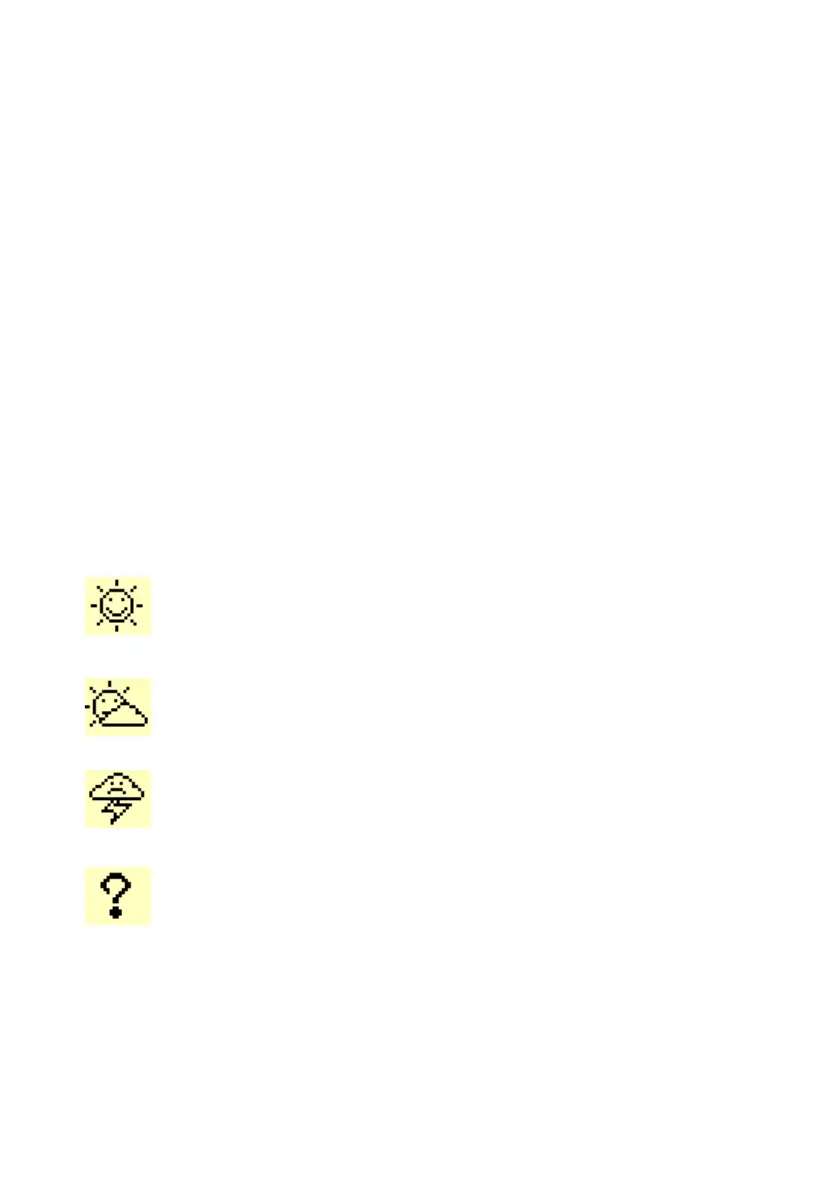
4. Check icons
The following icons indicate the exact state of your working system.
Sunny icon:
Everything is OK. Run the method or sequence.
Sunny icons are required to run the method.
Cloudyicon:
Action required within 12 or 24 hours. For example elec-
trode and/or reagent calibration.
Stormy icon:
Electrode/reagent calibration date elapsed or reagent not
installed.
Question mark:
It is a programming error, reagent and/or electrode is/are
not dened in the selected method. Revise the method
programming.
Refer to Reagent and Electrode windows.



 To Next Page