ToxiRAE Pro User’s Guide
52
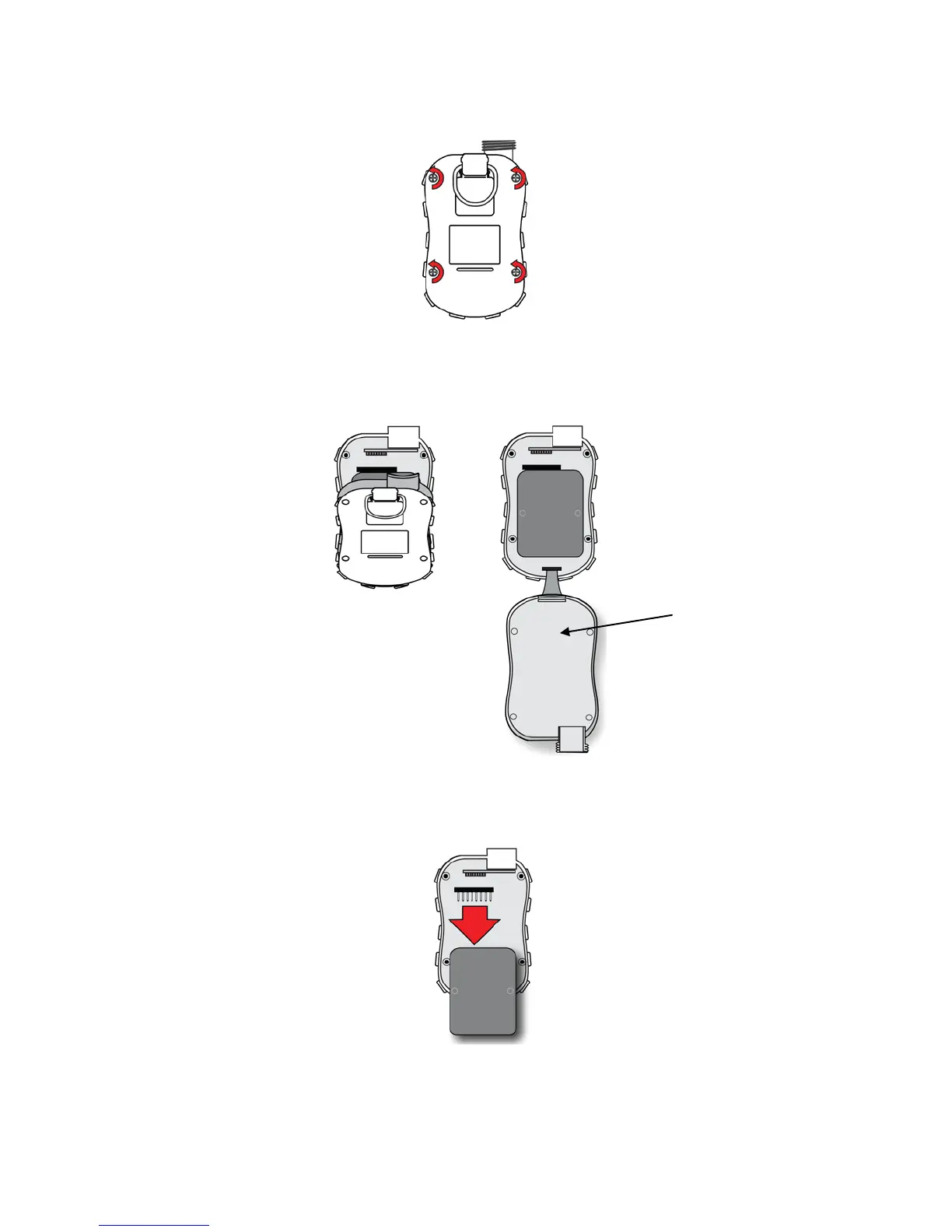
5. Remove the four screws on the back of the instrument by turning them counterclockwise.
5. Hold the ToxiRAE Pro down and separate the rear cover from the front by pulling
from the top and tilting it open without disconnecting the ribbon cable connecting the
two halves.
6. Carefully disconnect the battery from the battery connectors on the circuit board
by pulling it toward the bottom of the instrument. Be careful not to damage the
ribbon cable.
7. Before installing a new battery, visually inspect the contact pins on the ToxiRAE
Pro circuit board to make sure they are not bent. If they are, carefully straighten
them before installing the battery. Install the new battery (part number G02-3004-



 To Next Page