ESP-2WIRE Controller
8
Adding New Station Decoders
Add New Decoders To The Existing 2-Wire
Configuration
Repeat Station/Decoder Auto Address Function as
shown on page 5.
• The controller will populate the lowest new
address it finds to the lowest available station
number.
• Existing station addresses remain unchanged.
For example:
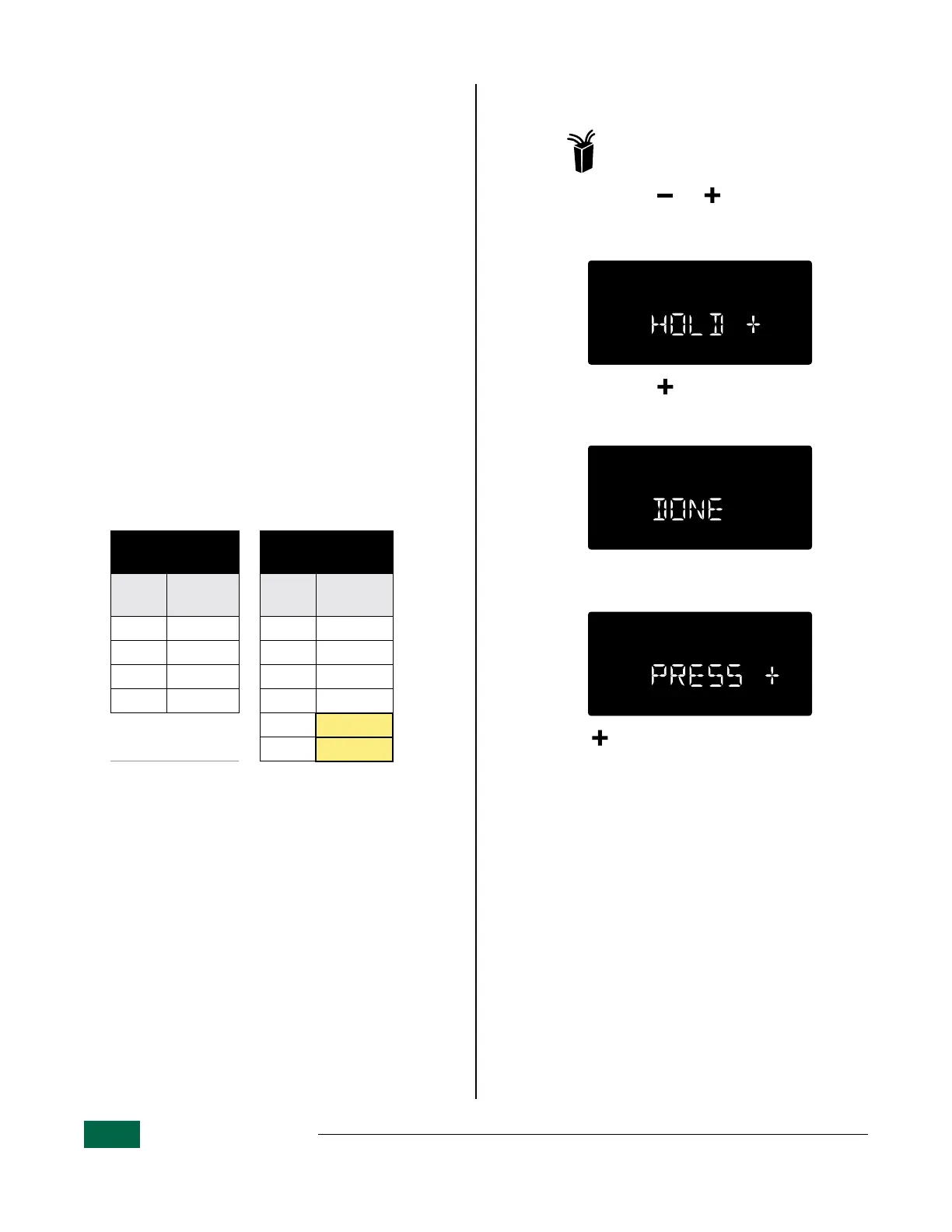
Table 6.1 shows that:
• There are 23 stations in the current configura-
tion.
After running Auto Address again:
• The first new decoder, having an address of
11324 will populate station 24, as shown in
Table 6.2.
• The second new decoder, having an address of
22532 will populate station 25.
Existing 2-Wire
Configuration
After Adding New
Decoders
Station
Decoder
Address
Station
Decoder
Address
20 21478 20 21478
21 21479 21 21479
22 21480 22 21480
23 21481 23 21481
24 11324
25 22532
Table 6.1 Table 6.2
B
NOTE: Even though address 11324 is the
lowest in the new sequence, the controller
assigned it to the lowest available station
number, in this case station 24. All addresses
that were previously programmed prior to
finding new decoder addresses will remain
unchanged.
Clear All Decoder Addresses and Repeat
Auto Address
Turn the dial to: 2-Wire Settings
a
Press and hold and simultaneously.
b
The display message will scroll:
HOLD + TO CLEAR ALL ADDRESSES
c
Press and hold to clear all addresses.
d
The display message will say “DONE” to show
the operation has succeeded.
e
The display message will again scroll:
PRESS + TO PGM FIELD DEVICES TO ZONE
• Press to continue and repeat the Auto Ad-
dress process.


 To Next Page