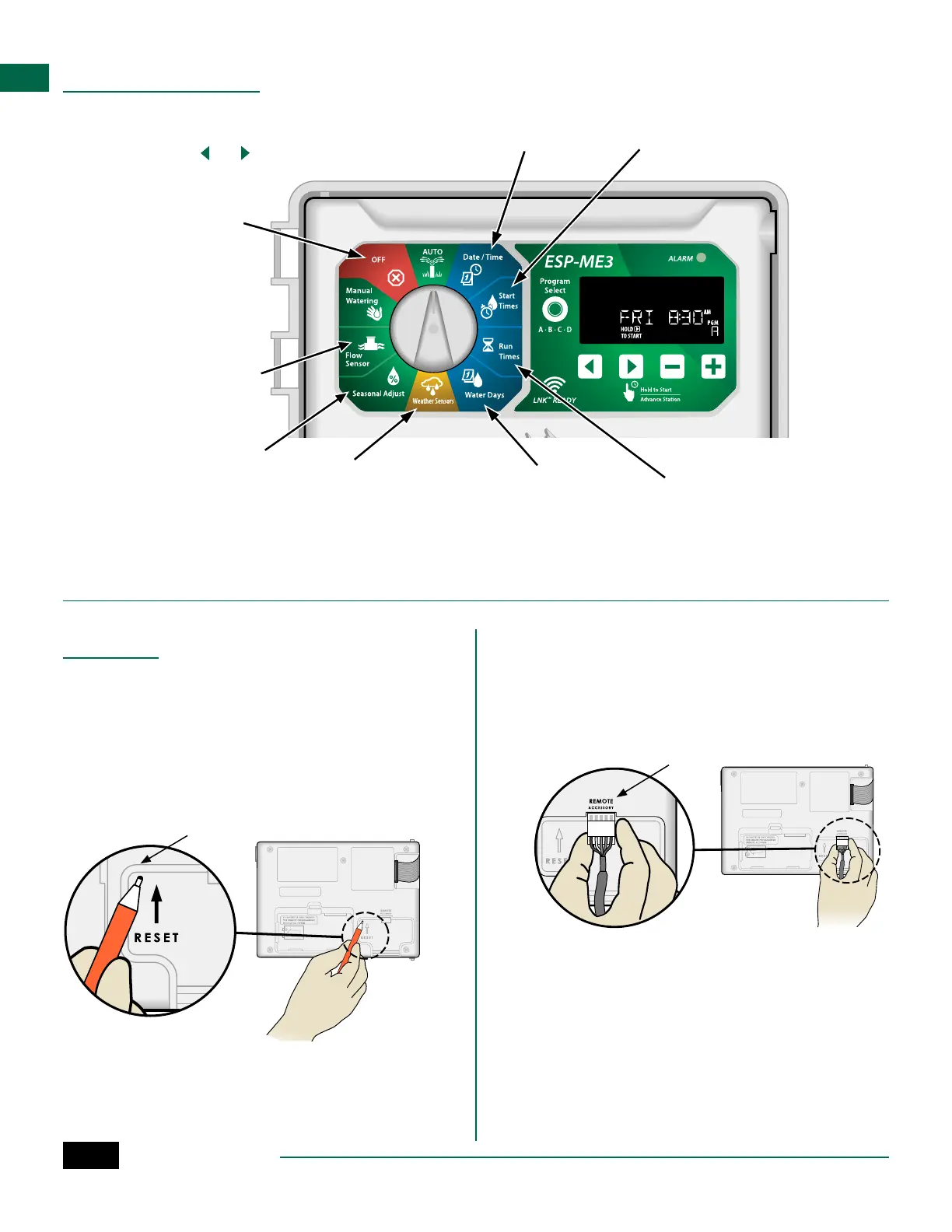
ESP-ME3 Controller
14
EN
Program
Select
A · B · C · D
LNK READY
Hold to Start
Advance Station
ESP-ME2
Date /Time
Seasonal Adjust
Weather Sensors
AUTO
OFF
Manual
Watering
Water Days
Run
Times
Start
Times
Advanced
Sensors
ALARM
Special Features
A
Turn the dial to the desired position indicated
below for each Special Feature.
B
Press and hold and at the same time.
Set Interstation Delay
by Program
A station delay (from 1
second to 9 hours) ensures
that a valve has completely
closed before the next one
opens. Press Program Select
to set delay for different
programs.
Set Rain Sensor by
Station
Tells a station to obey or
ignore a rain sensor.
Save
Programming
Restore
Programming
Set Master Valve
by Station
Allows a station to be
controlled by a master
valve or pump start relay.
Set to Odd or Even
Watering Days
Options
Reset Button
If the controller is not working properly, you can try
pressing RESET.
• Insert a small tool such as a paper clip, into the
access hole and press until the controller is reset.
All previously programmed watering schedules will
remain stored in memory.
RESET
Remote Accessories
A 5 pin accessory port is available for Rain Bird
approved external devices, including:
• LNK
TM
WiFi Module
• LIMR Receiver Quick Connect harness
PORT
Set Flow Sensor by Station
Turns a flow sensor on or
off by station
Reset to Factory Defaults
All programmed schedules
will be erased.



 To Next Page