ESP-ME3 Controller
9
EN
AUTO
AUTO is the normal operating mode. Return the dial to
AUTO when programming is complete.
During Watering:
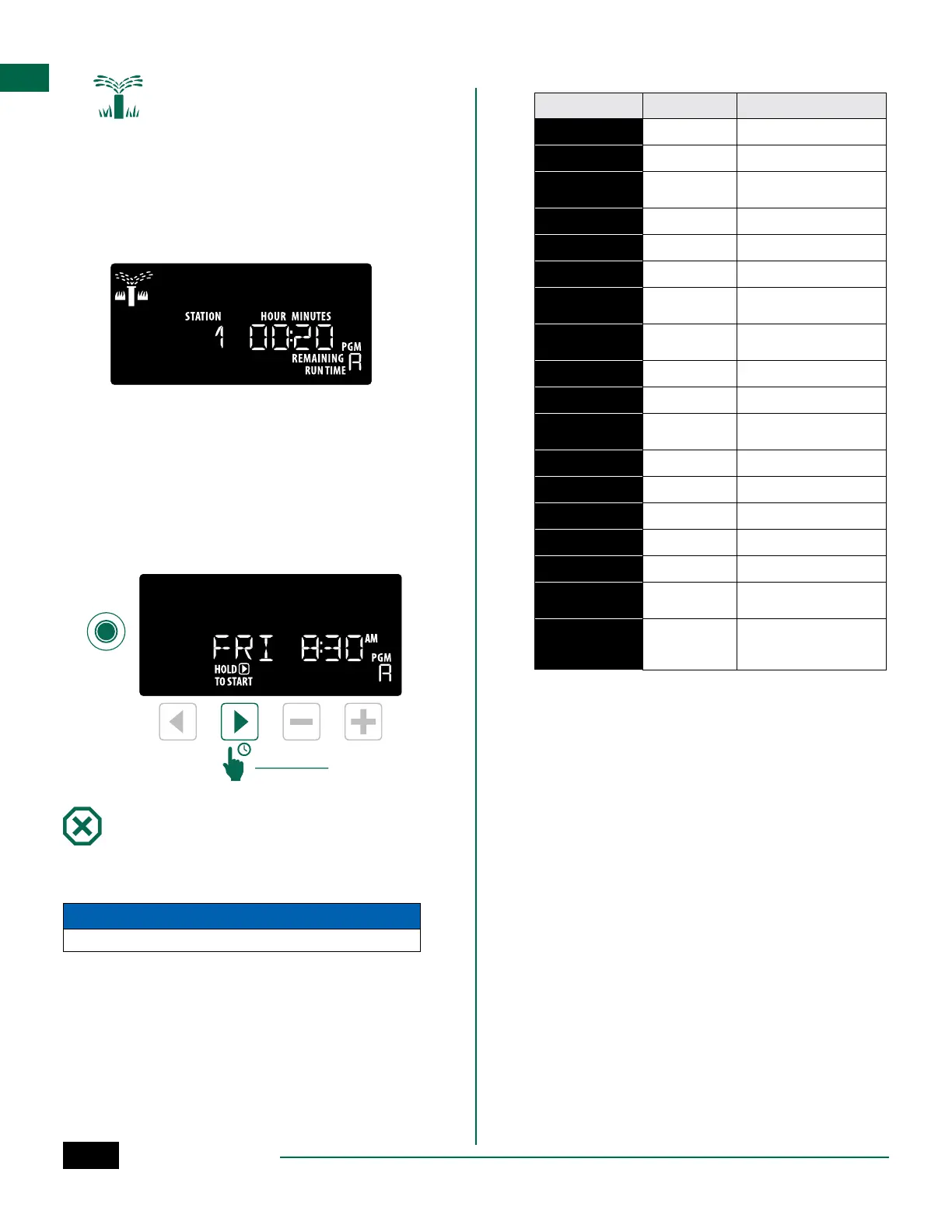
The display shows a blinking sprinkler symbol, the
active Station Number or Program, and the Remaining
Run Time.
• To cancel watering, turn the dial to OFF for three
seconds until the screen shows OFF.
To Manually Start a Program:
A
Press the Program Select button to select a
program.
B
Press and hold the Hold to Start button to
immediately start manual watering for the
selected program.
Program
Select
D
Hold to Start
Advance Station
OFF
Turn the dial to OFF to stop automatic irrigation or to
cancel all active watering immediately.
NOTICE
Watering will NOT occur if the controller remains in the OFF position.
NOTE: Manual watering can be started using
mobile apps or LIMR when dial is in OFF position.
Display Indicators
Display Function Description
ALL
ALL
All stations
CLEARED
CLEARED
Programming was cleared
CYCLIC
CYCLIC
Watering occurs at specific
intervals, such as every 2 days
DELAY
DELAY
Delay Watering Active
EVEN
EVEN
Even days watering
FLOW
FLOW
Flow Sensor
MV ON
MV ON
Master or Pump-start relay
is active
NOMOD
NOMOD
No station modules installed
for that station
ODD
ODD
Odd days watering
OFF
OFF
Controller will not water
PERMOFF
PERMOFF
Permanent days off for Odd,
Even, Cyclic watering
RAIN
RAIN
Rain Sensor
RESTORD
RESTORD
Programming restored
SAVED
SAVED
Save programming
SENS ON
SENS ON
Sensor will function if wired
SEN OFF
SEN OFF
Sensor is ignored even if wired
SKIP
SKIP
Station not used due to sta-
tion module configuration
SOAK
SOAK
Soak time between watering
times - supported through
the Rain Bird app.



 To Next Page