EAGLE™
User Manual
EAGLE Sub-Page
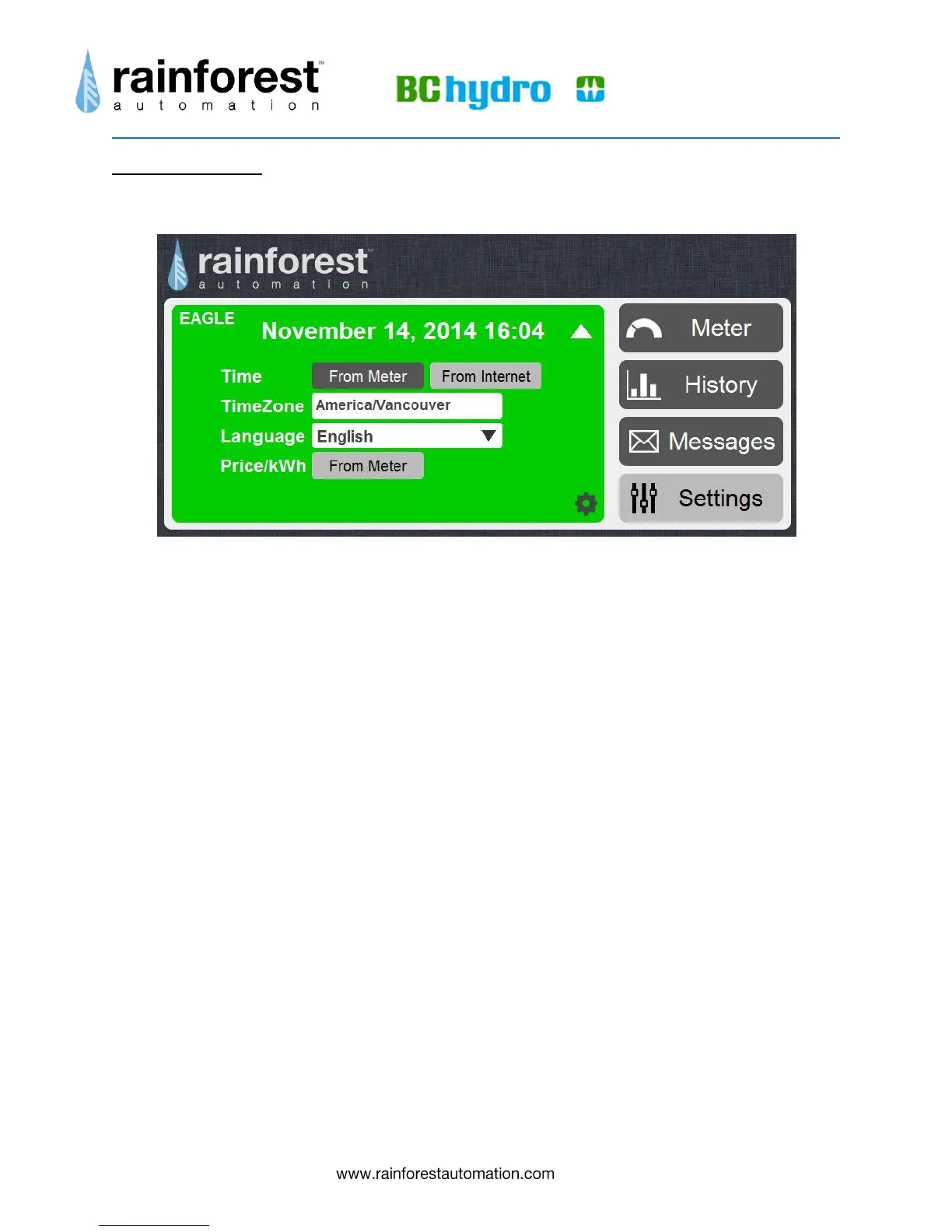
Expanding the EAGLE status bar on the Settings page brings up the EAGLE sub-page.
This sub-page is used to configure the Time Zone, Language, and adjust price settings.
Time – Select the time source, either “From Internet” (default), or “From Meter” (if
no internet connection available).
Timezone – Click on the white info field to bring up a world map. Click on your
location to set your Time Zone. The default is Pacific time.
Language – Click on the drop-down list to select your preferred language for the
Web Viewer (only English is currently supported).
Price – Price is supplied by the meter, so you will just see “From Meter”.
Notice that there is a gear icon in the lower right corner. Clicking this will bring up the
Advanced Settings page. Information about the Advanced Settings page can be found
at the end of this section.


 To Next Page