EAGLE™
User Manual
Troubleshooting Guide
Symptom: Your web browser cannot find the EAGLE™.
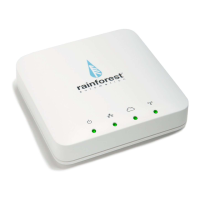
a. Check that the EAGLE™ power light is on. If not, make sure the power cord
is plugged in firmly in the back, and the adapter is plugged into the wall outlet
(you can also try another outlet).
b. Check that the EAGLE™ Ethernet light is on continuously, and is not flashing.
If the light is not on, ensure that the Ethernet cable is plugged in solidly to
both the router and the EAGLE™. Check that router is turned on and that the
light on router port indicates that the EAGLE™ is connected. If the EAGLE™
Ethernet light is flashing, this means that the EAGLE™ did not get an IP
address from the router. Make sure that the EAGLE™ is connected to a
router, and not just a switch. Try unplugging the power cord of your
EAGLE™, and plugging it back in again after 10 seconds. This will reset your
EAGLE™. Make sure the Ethernet light comes on and goes from flashing to
always on.
c. Make sure that your computer is plugged into the same router as the
EAGLE™. If you are on a mobile device, make sure you are connected to
the same WiFi network that the EAGLE™ is plugged into.
d. If you are not using an Apple computer, check that you have installed mDNS,
or Bonjour for windows: http://support.apple.com/kb/DL999
e. If none of the above work, find the IP address of the EAGLE™ by logging into
your router and locating the EAGLE™ on the network. Entering this IP
address into your browser will connect you to the EAGLE™.
Symptom: The Web Viewer just shows “Loading” and is unable to get data.
a. Ensure that you have contacted your utility, and they have loaded your meter
with your device information, and the meter is ready to communicate with the
EAGLE™.
b. Check that the EAGLE™ ZigBee light is on continuously, and is not flashing.
If the light is flashing, try moving the EAGLE™ closer to the meter. If this
does not cause the light to go from flashing to continuously on, then the
EAGLE™ may need to be disconnected from the meter and be re-
provisioned by your utility.


 To Next Page