EAGLE™
User Manual
Connecting to Bidgely
Set up the EAGLE™ upload server
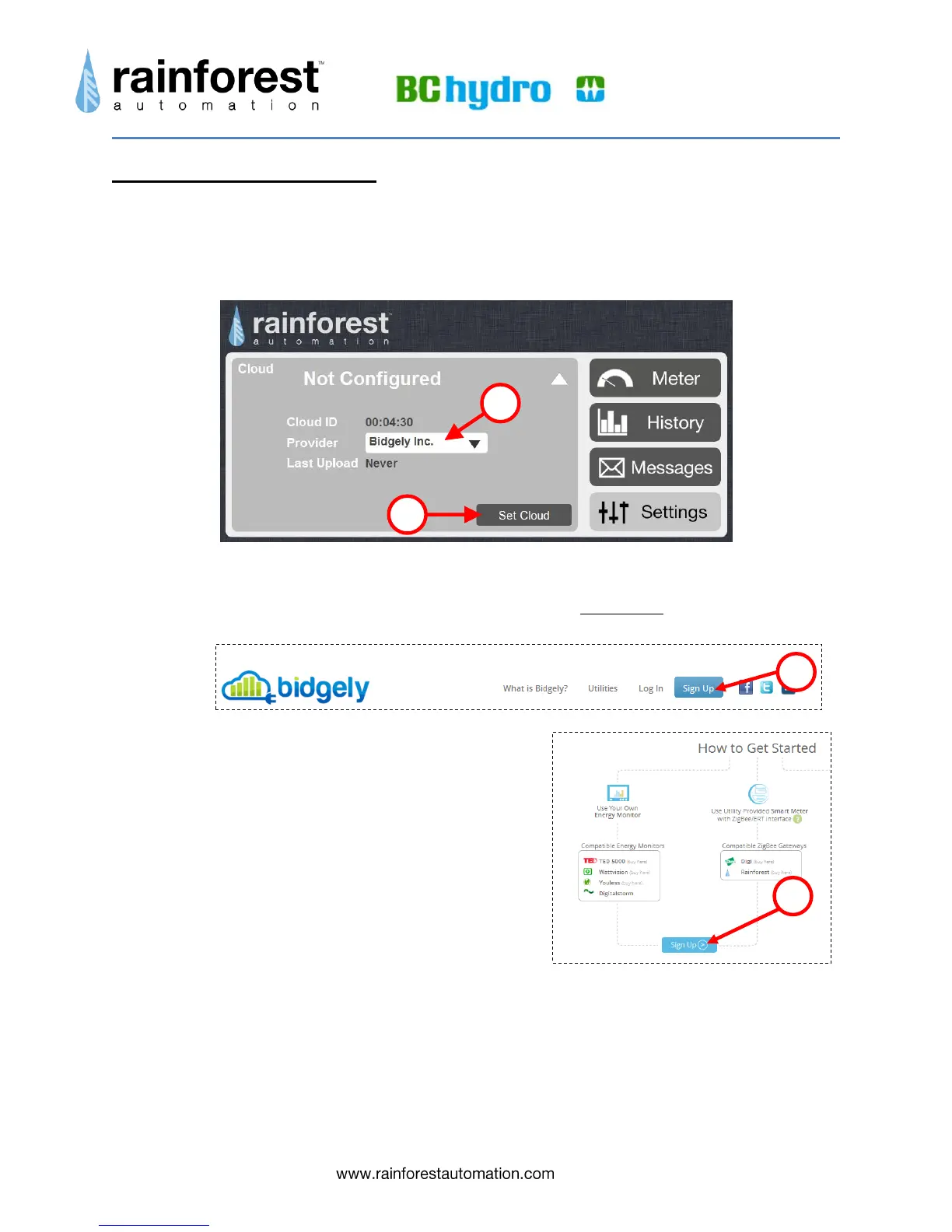
1) In the Cloud sub-page, select “Bidgely” from the drop-down menu for “Provider”.
4) Click the “Set Cloud” button.
Get a Bidgely account
1) Open another window in your web browser and go to bidgely.com. Click on 'sign up' at the
top right of the page:
You will see the “How to Get Started” page.
2) Click on the blue “Sign Up >” button
3) Fill in the form on the “User account” page and
click the “Create new account” button at the
bottom on the right.


 To Next Page