EAGLE™
User Manual
Connecting to Wattvision
Set up the EAGLE™ upload server
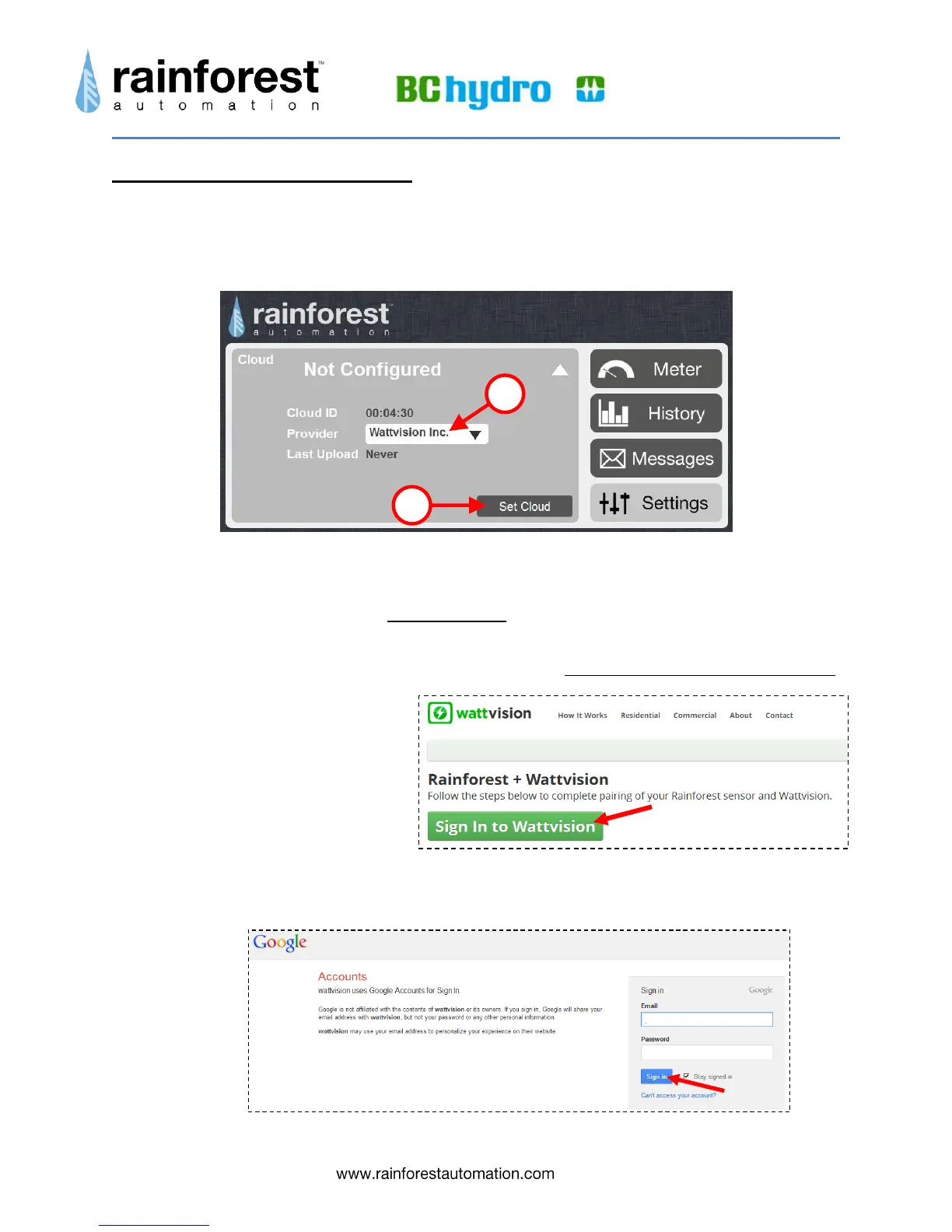
1) In the Cloud sub-page, select “Wattvision” from the drop-down menu for “Provider”.
4) Click the “Set Cloud” button.
Get a Wattvision account
Note that Wattvision uses your Google account for sign in. If you do not have a Google account,
go to the Google home page (www.google.com), and click the “Sign in” button in the top right
corner. Then click the red “SIGN UP” button in the top right corner, and follow the directions.
10) Open another window in your web browser and go to www.wattvision.com/partners/rainforest.
Click on the big green 'Sign in
to Wattvision” button at the
bottom of the page:
11) You will see the Google sign in page. Enter your email and password and click the blue
“Sign in” button.
abc@def.xyz
● ● ● ● ● ● ● ● ● ● ●


 To Next Page