EAGLE™
User Manual
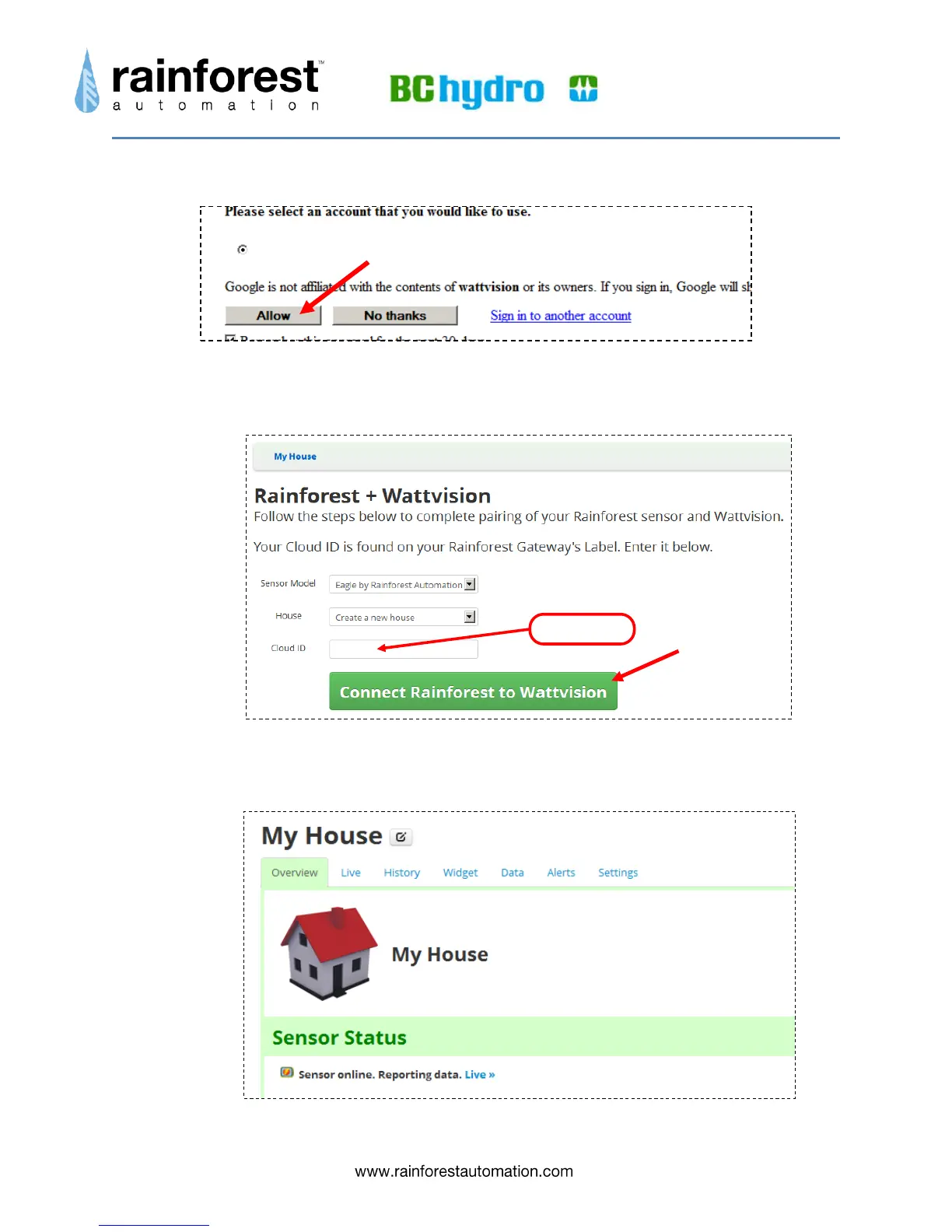
12) After you sign in, Google will ask you to allow Wattvision to connect to your account:
Click the “Allow” button.
13) You will now be returned to the Wattvision site:
In the “Cloud ID” field, enter: the 6-digit Cloud ID found on the Information Label on the
underside of the EAGLE™. Then click the big green “Connect Rainforest to Wattvision”
button. You should then see the “My House” screen:


 To Next Page