Raise3D Pro3 HS Series Printer User Manual Run the Offset Calibration
21
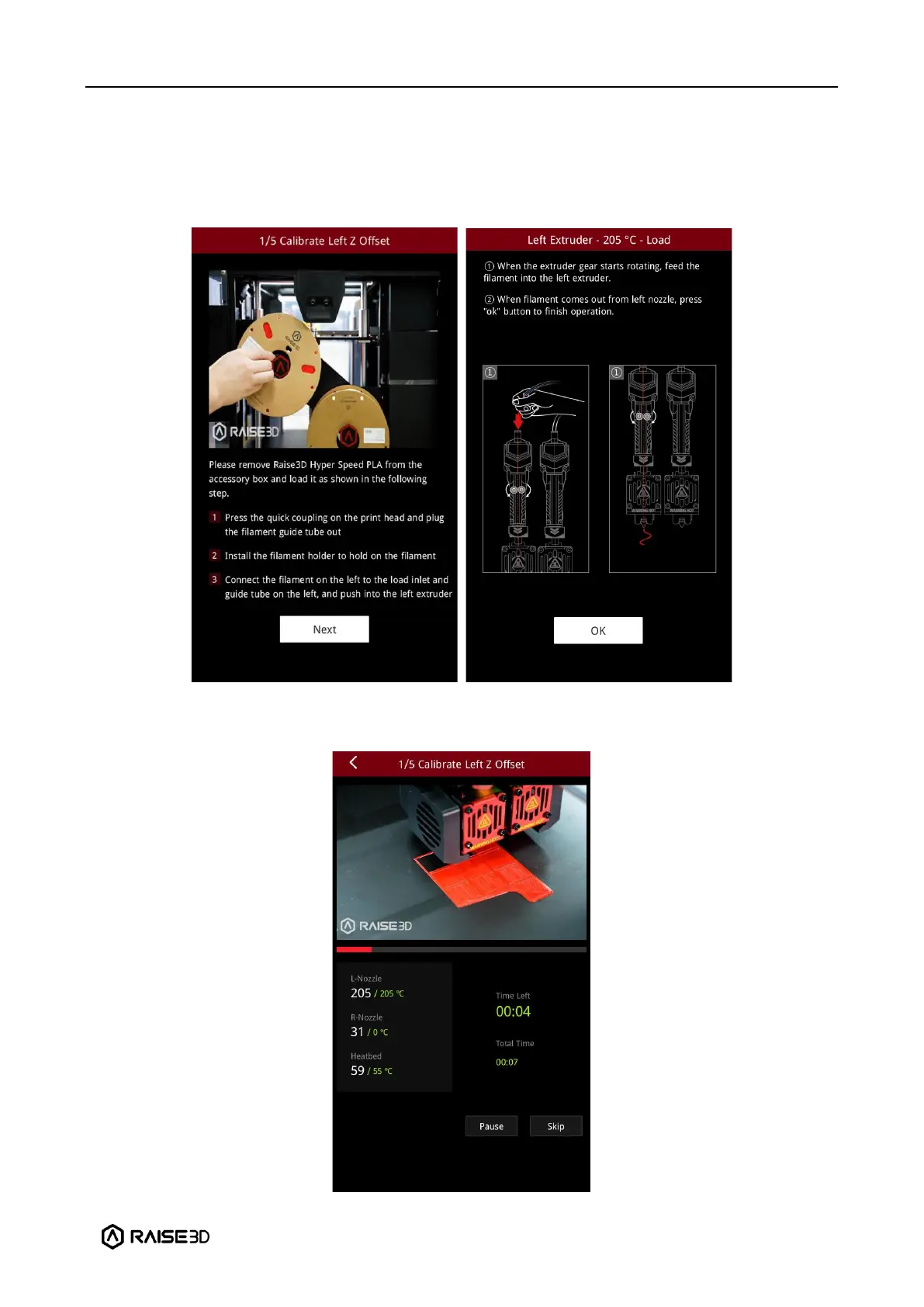
3. After adjusting the distance between the nozzle and the build plate, follow the prompt on
the screen to load Hyper Speed PLA filament.
Note: Two spools of Raise3D Hyper Speed PLA filament are used for calibration in this
tutorial.
4. After the filaments are successfully installed, the printer will start printing a 9-square
calibration model. Wait for the model to finish printing.



 To Next Page