Raise3D Pro3 HS Series Printer User Manual Remove the Printed Model
44
H. Remove the Printed Model
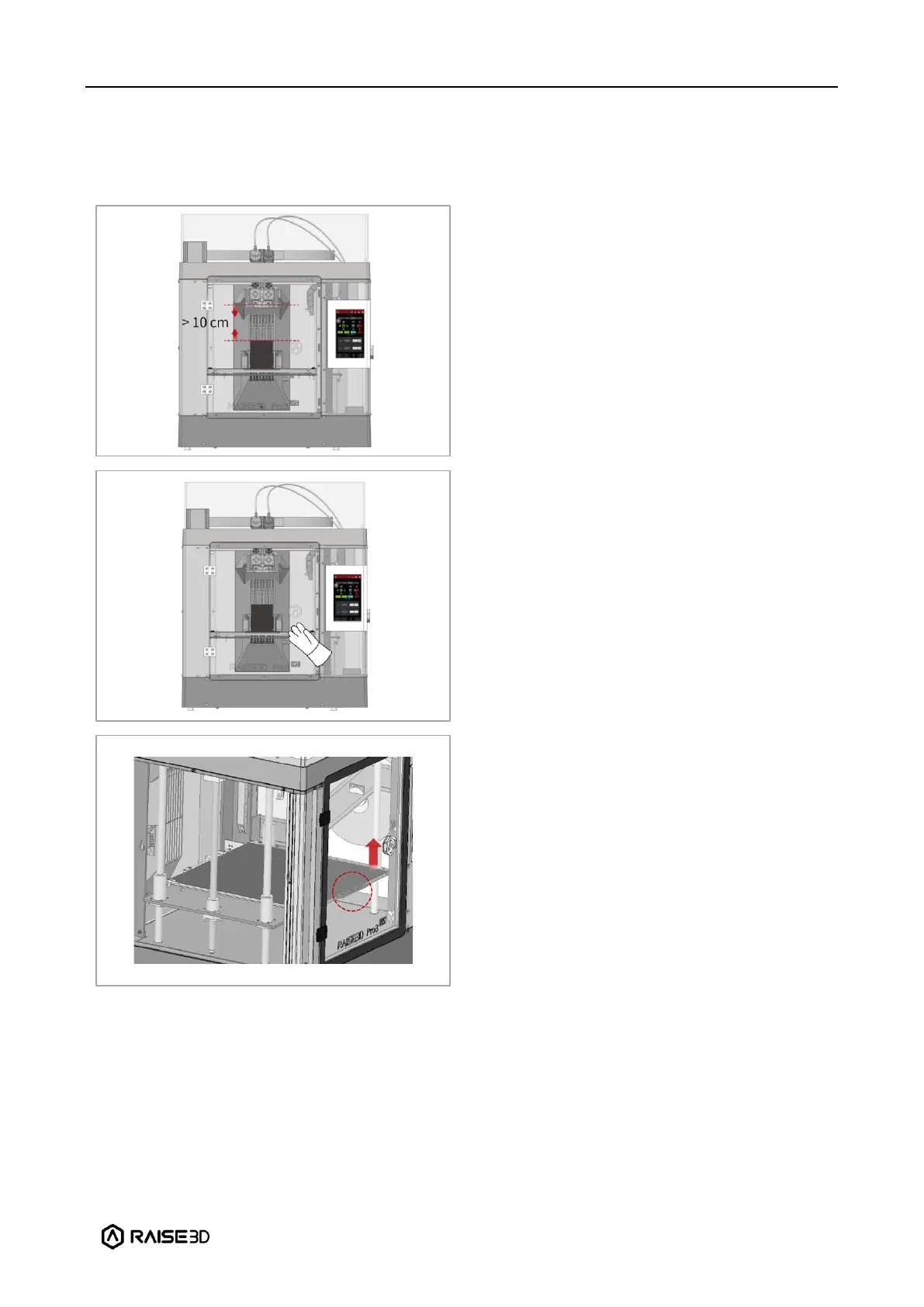
Make sure the printer is idle, and there is at
least a 10 cm gap between the printed model’s
top and the nozzle. This is to prevent the
nozzle from scratching the model or
damaging the model when it is taken out.
Wait for the build plate and nozzles to cool
down to room temperature before removing
any models. If you want to remove the model
before they have sufficiently cooled down,
please wear the heat-resistant gloves from the
attached accessory box.
Hold the red protective handle (as shown in
the red circle) to gently lift the printing
surface, and then take out the printing surface
from the printer.



 To Next Page