Raise3D Pro3 HS Series Printer User Manual Run the Offset Calibration
27
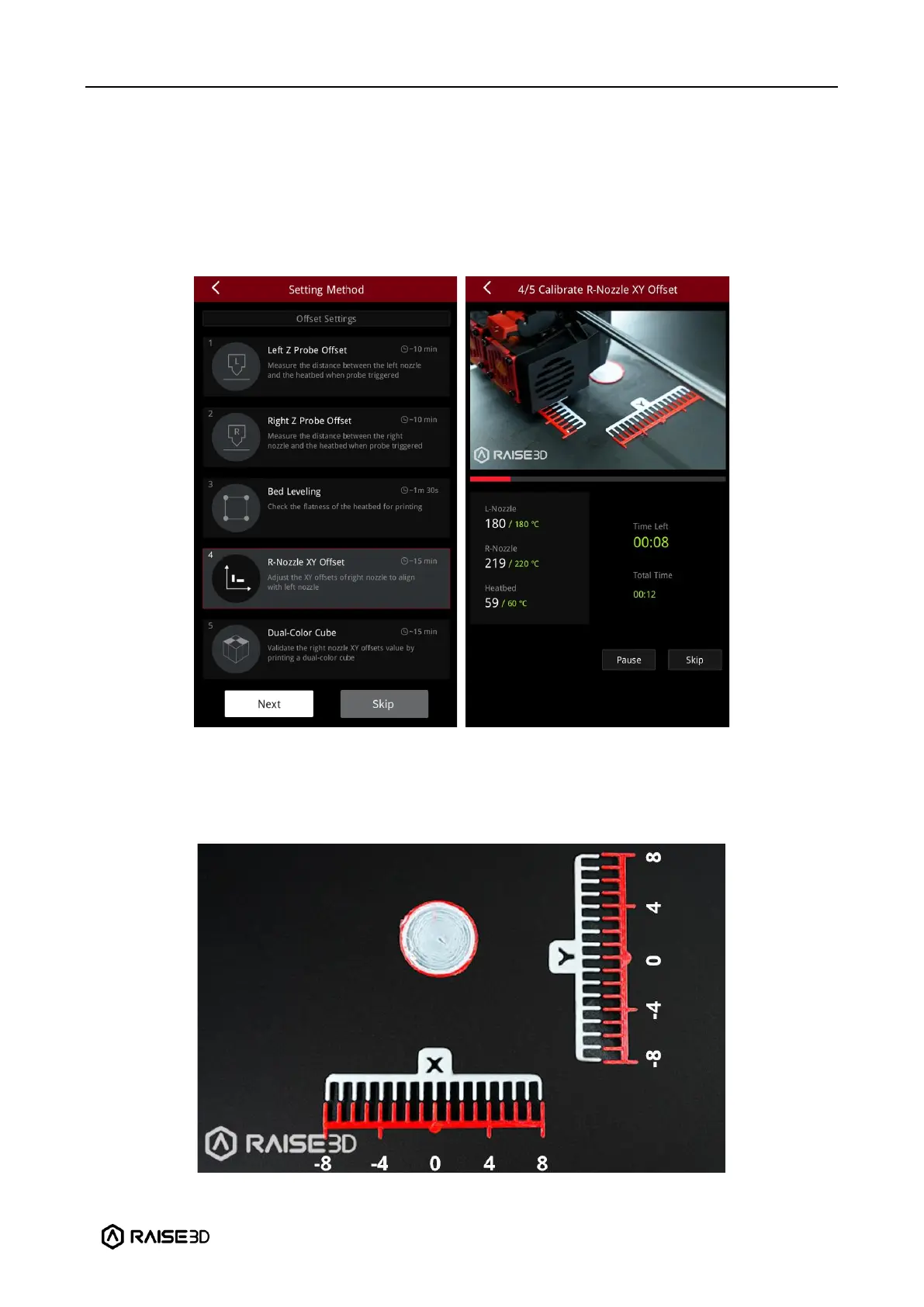
E.4 R-Nozzle XY Offset
1. The purpose of this step is to calibrate the XY offset of the right nozzle so that it aligns with
the left nozzle. The printer will heat up automatically and print two test models.
Note: This calibration can only be performed if both the left extruder and the right extruder
are loaded with PLA filaments, otherwise this step cannot be performed. In this tutorial, the
left and right extruders are loaded with Raise3D Hyper Speed PLA filaments.
2. After printing, according to the instructions on the screen, select a pair of lines that are
completely aligned on the X model and the Y model respectively. As exampled in the figure
below, the corresponding number to the pair of aligned lines on the X model is 1, and the
corresponding number to the pair of aligned lines on the Y model is 2.



 To Next Page