Raise3D Pro3 HS Series Printer User Manual Dual Extruder Printing
43
G.3 Start Printing
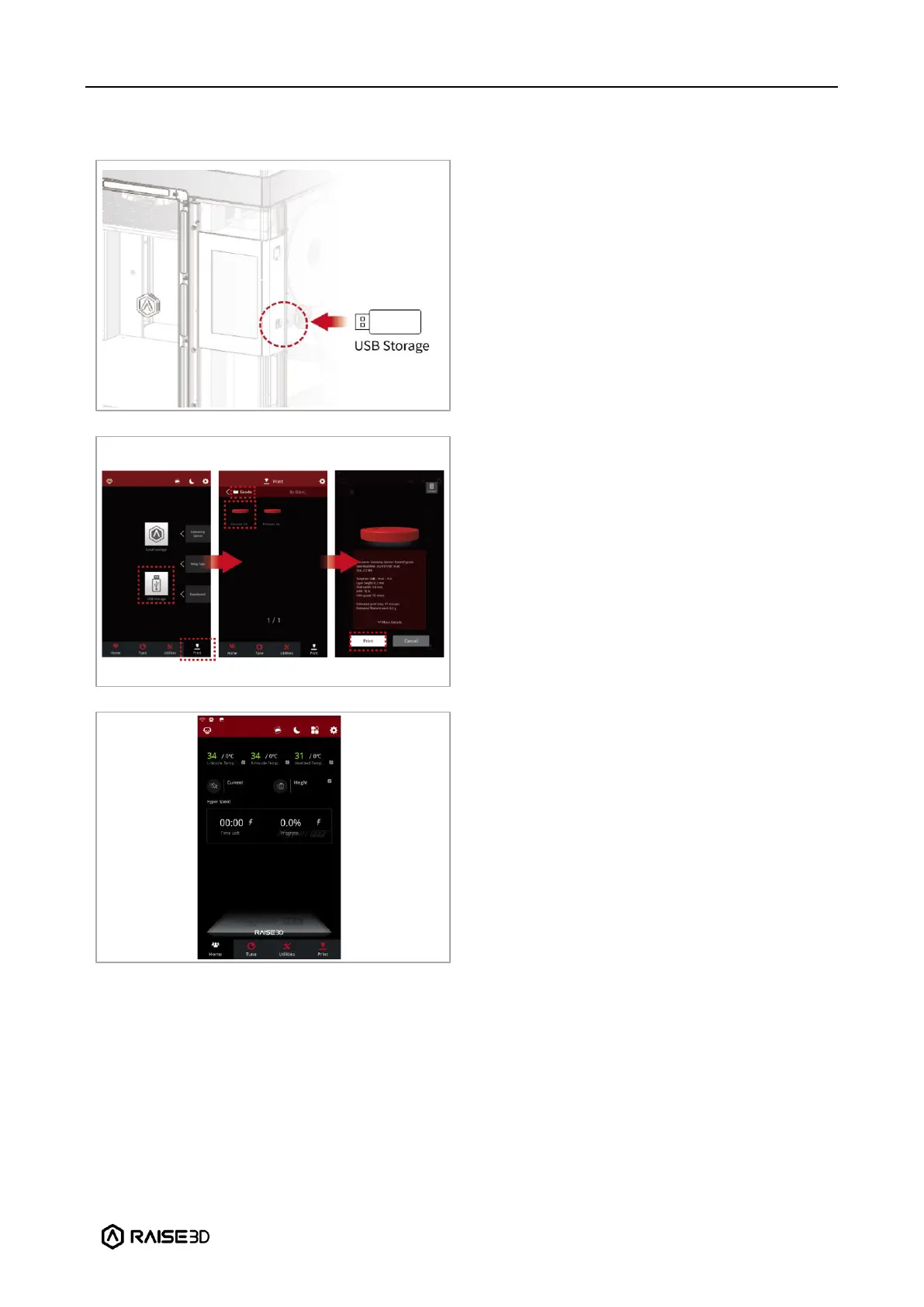
Insert the USB device that contains your
sliced model files (.gcode or .data) into the
USB port on the side of the touchscreen
Select “Print” on the touchscreen and
choose “USB Storage” to open the file
storage path. Select your sliced model file to
check the printing parameters and settings.
Select “Print” to start printing the model.
During the printing process, you can check
the printing status from the “Home”
interface on the touch screen, including the
remaining printing time and other
parameters.
Note: The touch screen will display an image
of your model during printing. This image
will only be shown when the file is sliced by
ideaMaker and the .data file is exported to
the USB flash drive.



 To Next Page