Raise3D Pro3 HS Series Printer User Manual Run the Offset Calibration
20
E.1 Run the Left Z Probe Offset
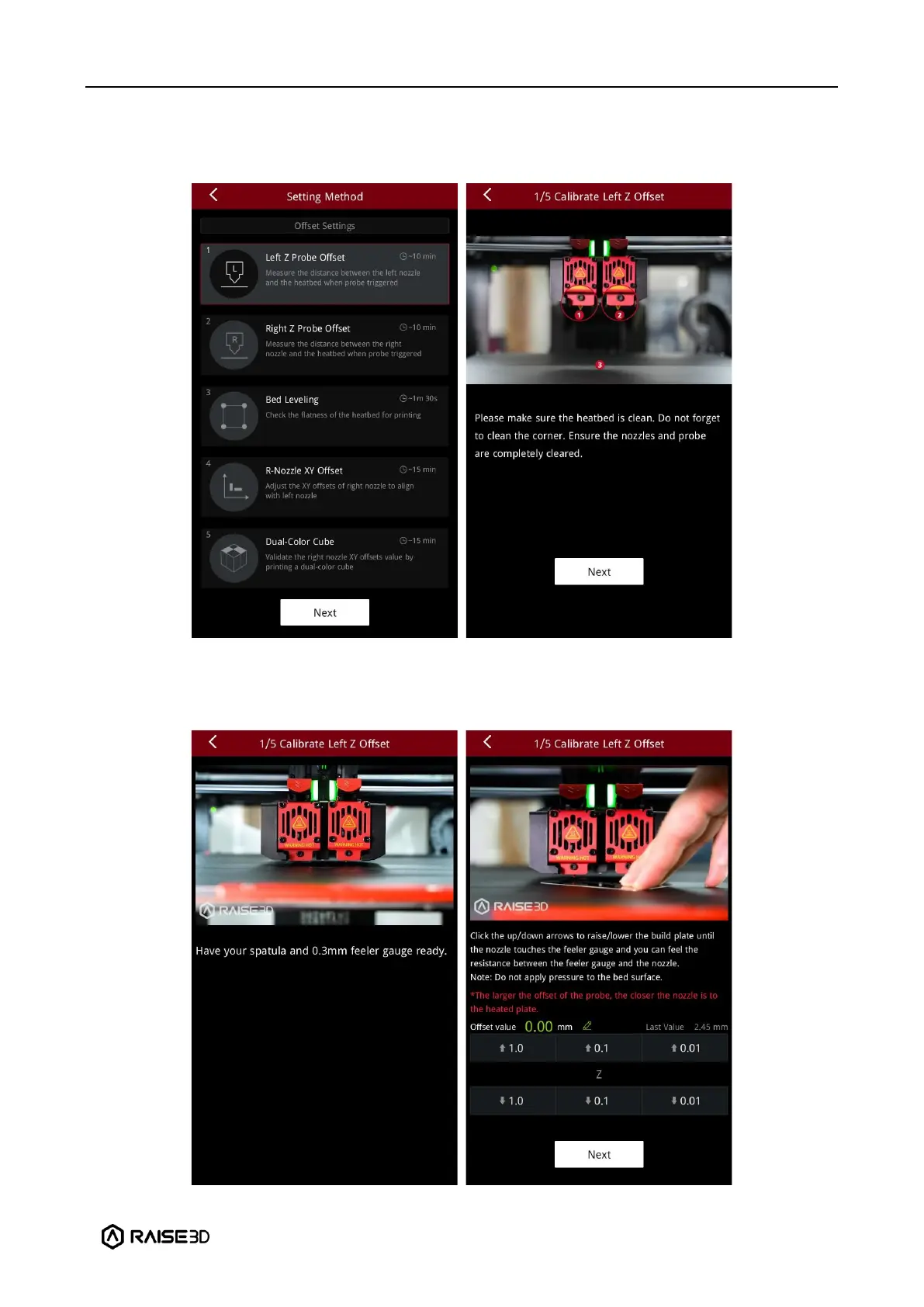
1. Enter the Left Z Probe Offset. Make sure your nozzle and build plate are clean.
2. With a 0.3 mm feeler gauge, adjust the distance between the nozzle and the build plate as
indicated by the prompts on the screen. Make sure the you can feel some resistance as the
feeler gauge moves between the nozzle and build plate. Do not press hard on the build plate.



 To Next Page