Raise3D Pro3 HS Series Printer User Manual Run the Offset Calibration
25
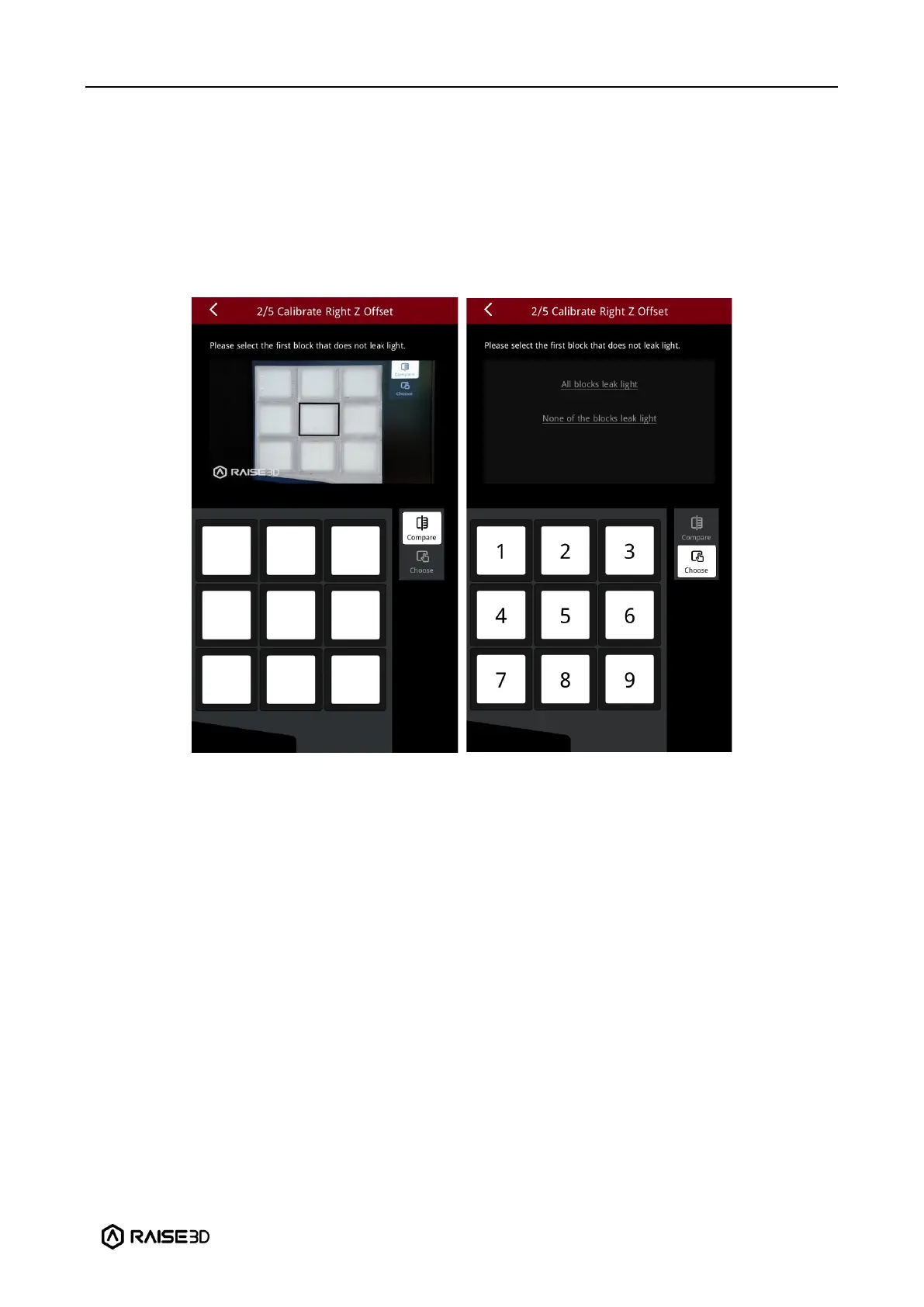
5. After the model is printed, compare the model with the on-screen example. Hold the
model up against a light and select the first block that doesn’t leak light. The printer will
automatically adjust the offset value of the left nozzle.
Note: If all the blocks do not leak light, it means that there may be deviations when
measuring the distance between the build plate with a feeler gauge. It is recommended to
select "None of the block leak lights" and recalibrate the distance between the build plate
and the right nozzle.


 To Next Page