EasyManua.ls Logo

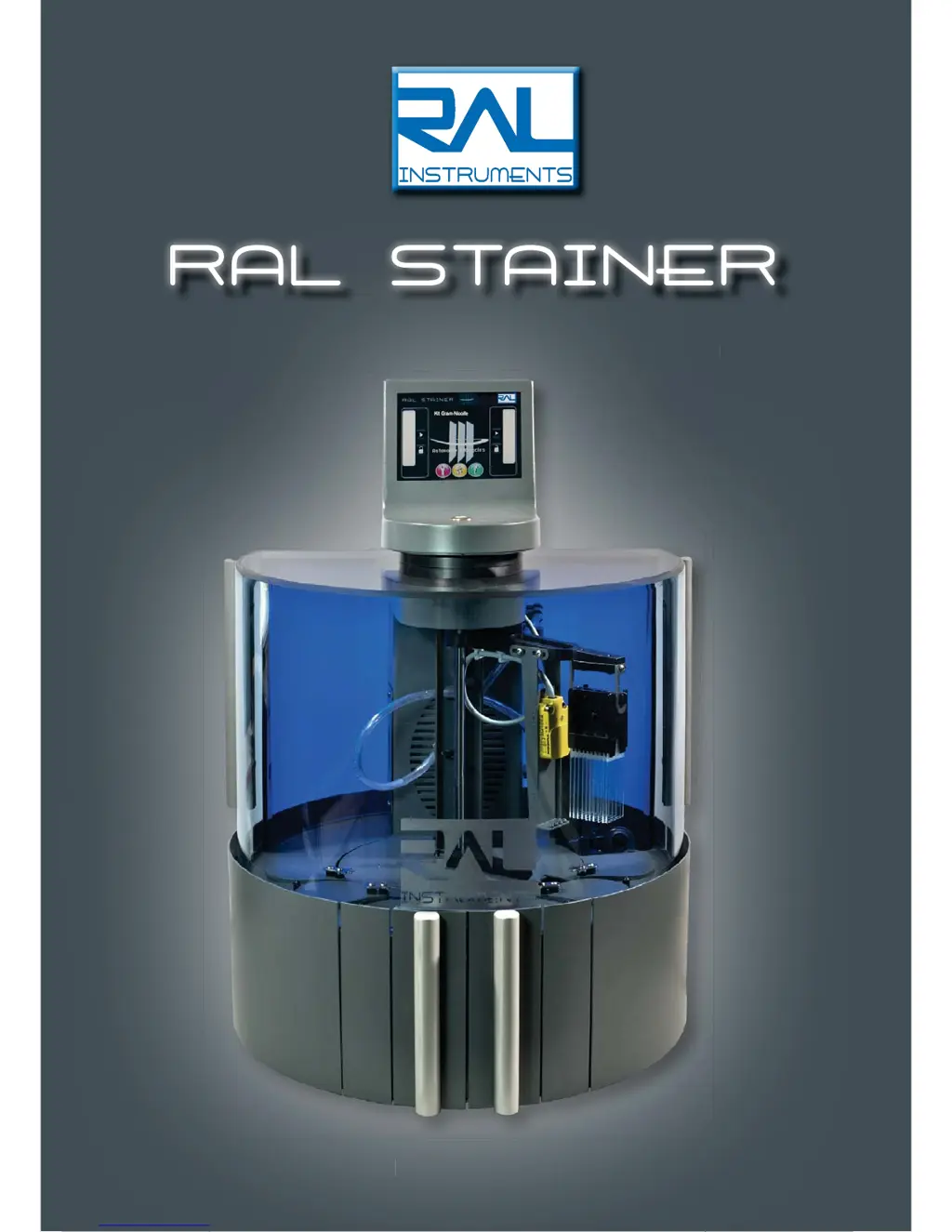
RAL instruments STAINER - User Manual

RAL instruments STAINER
49 pages
Print Icon
To Next Page IconTo Next Page
Loading...
The RAL Automated staining system
User Guide
RAL STAINER
The RAL Automated staining s
y
ste
m
Use
r
Guide
Ref:12060-V05 / EN

Table of Contents

Questions and Answers

  • M
    markrojasSep 2, 2025
    What to do if the codes do not allow to go to the codes page on RAL instruments STAINER Medical Equipment?
    • C
      Christopher MitchellSep 2, 2025
      If the codes do not allow you to access the codes page, it indicates data loss. Fill in the code to initialise the machine. If the system is not restored, contact your RAL Instruments representative.
  • M
    Monica WellsAug 31, 2025
    What causes a 'Step loss on Z Code' error on RAL instruments STAINER Medical Equipment?
    • A
      Antonio VasquezAug 31, 2025
      A 'Step loss on Z Code' error can occur when the level detection could not be carried out. Check that the necks of the bottles are not dirtied; if they are, clean them. Turn the appliance off and then back on. Also, verify that the arm is operating correctly by simulating a staining kit change. If the system is not restored, contact your RAL Instruments representative.
  • J
    John RodriguezAug 29, 2025
    What to do if RAL instruments STAINER Medical Equipment shows systematic message 'Z step loss'?
    • M
      Monique CoxAug 29, 2025
      If you are receiving a systematic 'Z step loss' message, check the level of the liquid in the containers. If necessary, if the arm is more than one year old, re-grease the Z axis. If the problem persists, contact your RAL Instruments representative.
  • P
    Patricia CarrollAug 28, 2025
    What to do if there is no reaction of the touch screen of RAL instruments Medical Equipment?
    • M
      melissagordonAug 28, 2025
      If there is no reaction from the touch screen and you don't hear a beep when pressing, turn the appliance off and then back on. If the system is not restored, contact your RAL Instruments representative.
  • B
    Brenda AlexanderAug 27, 2025
    Why RAL instruments STAINER Medical Equipment does not keep the codes in memory?
    • L
      Louis RobertsonAug 27, 2025
      If the machine does not keep the codes in memory, it indicates a memory problem. Check the SD card in the RFID card located in the left reagent loading door. Ensure the SD card is in the machine. If needed, remove it, clean the connections, and replace it.
  • D
    Donna DavisAug 25, 2025
    What to do if RAL instruments Medical Equipment shows 'SID tag incorrect'?
    • S
      Sherry MccarthyAug 25, 2025
      If you are getting an 'SID tag incorrect' error, it means that the tag on your staining kit is defective. You should change the staining kit or contact your RAL Diagnostics representative.
  • E
    ericmorseAug 22, 2025
    What to do if activated carbon filter has expired in RAL instruments Medical Equipment?
    • P
      Patricia HahnAug 22, 2025
      If the activated carbon filter has expired, you need to change it.

Summary

1 INTRODUCTION

1.1 RESPONSIBILITY

Document's liability and user's obligations for safe operation and compliance.

2 SYMBOLS

2.1 SYMBOLS USED IN THIS GUIDE

Explanation of safety and informational symbols used throughout the user guide.

2.2 DESCRIPTION OF THE SYMBOLS ON THE APPLIANCE

Identification and meaning of symbols found on the RAL Stainer device itself.

3 WARRANTY AND WARRANTY LIMITS

4 SAFETY INSTRUCTIONS

4.1 COMPLIANT USE

Guidelines for correct and intended usage of the RAL Stainer appliance.

4.2 WARNINGS

Critical safety alerts regarding electrical hazards, handling, and operational risks.

4.3 WASTE

Procedures and considerations for the proper disposal of electronic and biological waste.

4.3.1 ELECTRONIC WASTE

Specific instructions for the disposal of electronic waste in compliance with regulations.

4.3.2 BACTERIOLOGICAL AND CHEMICAL WASTE

Guidelines for disposing of biological samples and chemical reagents safely.

5 DESCRIPTION OF THE APPLIANCE

5.1 OPERATING PRINCIPLES

Explanation of the automatic staining process and the appliance's core functions.

5.2 PERFORMANCE

Overview of the RAL Stainer's capabilities, including capacity, memory, and features.

5.3 SAFETY

Key safety features and mechanisms integrated into the appliance's design.

5.4 SIZE

Physical dimensions and weight specifications of the RAL Stainer appliance.

5.5 ELECTRIC SPECIFICATIONS

Electrical requirements, voltage, frequency, and power consumption details.

5.6 ENVIRONMENTAL LIMITS FOR USE

Recommended operating conditions for temperature and humidity for the appliance.

5.7 ENVIRONMENTAL LIMITS FOR TRANSPORTATION AND STORAGE

Conditions for safe transportation and storage of the RAL Stainer.

6 STAINING REAGENTS

7 INSTALLATION

7.1 PACKAGING LIST

Contents of the RAL Stainer package, ensuring all components are present.

7.2 INSTALLATION ENVIRONMENT

Requirements for the location and table where the appliance will be installed.

7.3 SETTING UP

Step-by-step guide for physically setting up the RAL Stainer and its containers.

7.4 CONNECTION OF THE INSTRUMENT TO THE MAINS POWER SUPPLY

Instructions for connecting the appliance to the electrical power source.

7.5 HYDRAULIC CONNECTIONS

Guide for connecting the effluent and rinsing liquid containers to the appliance.

8 SCREEN DESCRIPTIONS

8.1 MEANINGS OF THE SYMBOLS

Explanation of the icons and symbols displayed on the RAL Stainer's touch screen interface.

8.2 PAGE DESCRIPTIONS

Overview of the different screens and their functions within the appliance's interface.

8.2.1 STAINING PAGE

Description of the default screen for initiating and monitoring staining processes.

8.2.2 SETTINGS PAGE

Details on the functions available on the appliance's settings screen.

8.2.3 CHANGE SESSION PAGE

Procedure for switching between different user accounts on the appliance.

8.2.4 INFORMATION PAGE

Accessing machine details, kit status, software versions, and user information.

8.2.5 ALPHANUMERIC AND NUMBER KEYBOARD

Explanation of the on-screen keyboard for data input and navigation.

9 INITIALISATION

9.1 USER CREATION AND RIGHTS MANAGEMENT

Process for creating users and assigning access levels for appliance operation.

10 USE

10.1 STARTING UP

Steps to power on the RAL Stainer and initiate the user code entry.

10.2 INSTALLING REAGENTS

Procedure for loading staining kits and rinsing solution into the appliance.

10.2.1 STAINING KIT

Detailed guide on how to correctly insert and identify a staining kit.

10.2.2 RINSING SOLUTION

Instructions for filling and managing the rinsing liquid container.

10.3 STAINING PROTOCOL

Information on memorizing and optimizing staining protocols for reproducible results.

10.3.1 PROTOCOL MODIFICATION

Steps for adjusting staining parameters like time, mixing, and rinsing.

10.3.2 CHANGING THE PROTOCOL

Procedure for selecting and loading a pre-parametered or custom protocol.

10.4 INSTALLING THE SLIDES

Guide on how to load slides into the slide holder and place it in the appliance.

10.4.1 LOADING THE SLIDE HOLDER

Instructions for placing slides correctly into the slide holder.

10.4.2 PLACE THE SLIDE HOLDER IN THE APPLIANCE

Steps for inserting the loaded slide holder into the designated drawer.

10.5 STAINING

Process of launching and monitoring a staining cycle on the RAL Stainer.

10.6 CHANGING THE STAINING KIT OR DRAINING

Procedure for replacing staining kits and draining reagents.

10.6.1 CHANGING THE STAINING KIT

Steps to safely remove and install a new staining kit in the appliance.

10.6.2 DRAINING

Automatic draining of reagents due to expiry, low level, or exceeded autonomy.

10.7 STAND-BY

How to put the appliance into standby mode at the end of a work session.

10.8 POWERING OFF

Procedure for completely switching off the appliance for long inactivity.

11 TRACEABILITY

11.1 USING THE TRACEABILITY SOFTWARE

Instructions for installing and using the software to decrypt traceability files.

11.2 LOADING THE TRACEABILITY FILE

Steps for transferring traceability data from the appliance to a USB stick.

12 CLEANING

12.1 CLEANING

Routine cleaning procedures for the appliance's internal and external surfaces.

12.2 HYDRAULIC SYSTEM CLEANING

Weekly procedure to clean the rinsing and draining circuits to prevent bacteria.

12.3 ACTIVATED CARBON FILTER

Information on replacing the activated carbon filter and resetting its lifespan counter.

12.4 DECONTAMINATION

Procedures for decontaminating biological samples, reagents, and appliance parts.

13 CONSUMABLES AND OPTION EQUIPMENT

13.1 CONSUMABLES

List of consumables required for the operation and maintenance of the RAL Stainer.

13.2 OPTIONAL EQUIPMENT

Description of optional accessories available for the RAL Stainer appliance.

14 MAINTENANCE

15 AFTER-SALES SERVICES

16 TROUBLESHOOTING

16.1 ERROR MESSAGES

List of error codes, their diagnoses, and recommended solutions for common issues.

16.2 WHAT TO DO WHEN...?

Troubleshooting guide for common problems encountered during appliance operation.

17 SUMMARY OF TIPS

18 INDUSTRIAL PROPERTY

19 EC DECLARATION

20 INDEX

RAL instruments STAINER Specifications

General IconGeneral
BrandRAL instruments
ModelSTAINER
CategoryMedical Equipment
LanguageEnglish