272 MULTIMEDIA
Vehicle must have an operable LTE (voice/data)
or 3G or 4G (data) network connection compat-
ible with your device.
LTE Network Connection
Vehicle must be registered with SiriusXM
Guardian™ and have an active subscription that
includes the applicable feature.
Vehicle Finder
Description
The Vehicle Finder feature of the Uconnect App
allow
s you to find the location of your stationary
vehicle.
You can also sound the horn and flash the lights to
make
finding your vehicle even easier.
How It Works
Use the Uconnect App to find the location of your
vehi
cle.
1. Select the Location tab at the bottom of the
App
. Then, touch the Vehicle icon to find your
vehicle.
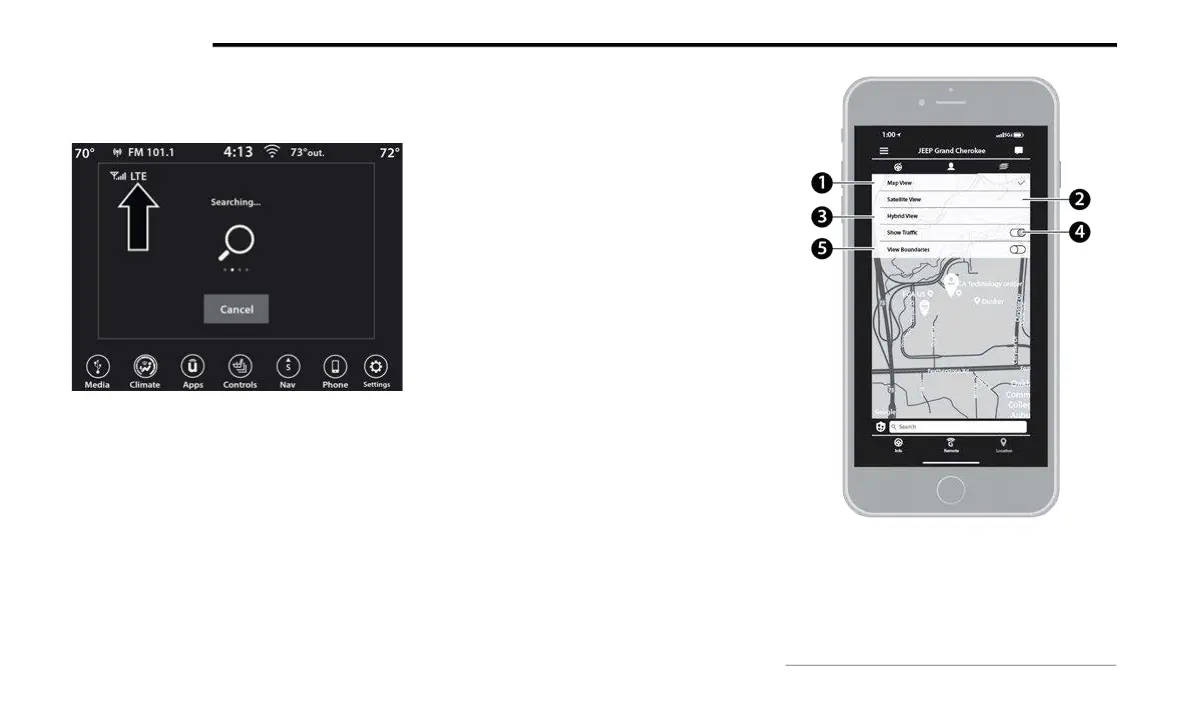
2. Choose how you want to view the information
by
pressing the layers button. These options
will appear:
Vehicle Finder Layers
1 — Map View
2 — Satellite View
3 — Hybrid View
4 — Show Traffic
5 — View Boundaries



 To Next Page