GETTING TO KNOW YOUR VEHICLE 43
Digital Rearview Mirror — If Equipped
The Digital Rearview Mirror provides a high
definition, wide and unobstructed view of the road
behind while driving.
Position the mirror in the regular Automatic
Dimm
ing Mirror mode, then activate the Digital
Rearview Mirror mode.
To activate the Digital Rearview Mirror, pull the on/
off c
ontrol lever on the bottom of the mirror
rearward toward the driver.
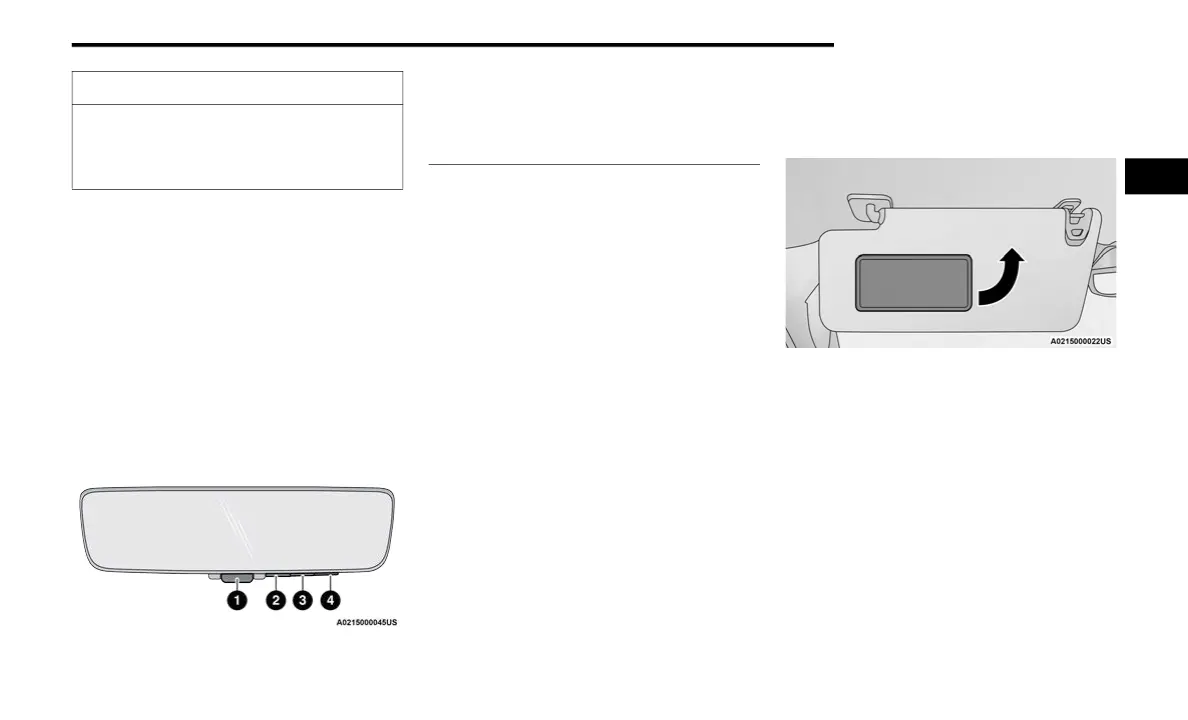
Digital Rearview Mirror
Push the menu button next to the on/off control/
toggl
e to access the following mirror options:
Brightness
Tilt
Pan (if equipped)
Use the left and right buttons to scroll through
menu
options.
When not in use, push the on/off forward toward
the
windshield to return the mirror to the regular
Automatic Dimming Mirror.
NOTE:
The Digital Rearview Mirror is not as effective
duri
ng nighttime driving in low light applications
due to low ambient light levels. In the event that it
provides the user with less than expected vision,
the mirror can be reverted to a normal reflective
Automatic Dimming Mirror by pushing the control/
toggle forward in the vehicle and putting the mirror
into Automatic Dimming Mirror mode.
ILLUMINATED VANITY MIRROR
To access an illuminated vanity mirror, flip down
one of the visors and lift the cover.
Lift Cover For Illuminated Mirror
“Slide-On-Rod” Features Of Sun Visor —
If Equipped
The sun visor “Slide-On-Rod” feature allows for
additional flexibility in positioning the sun visor to
block out the sun.
1. Fold down the sun visor.
2. U
n
clip the visor from the corner clip.
3
.
P
ivot the sun visor toward the side window.
CAUTION!
To avoid damage to the mirror during cleaning,
never spray any cleaning solution directly onto
the mirror. Apply the solution onto a clean cloth
and wipe the mirror clean.
1 — On/Off Control/Toggle
2 — Menu Button
3 — Left Scroll Button
4 — Right Scroll Button
2



 To Next Page