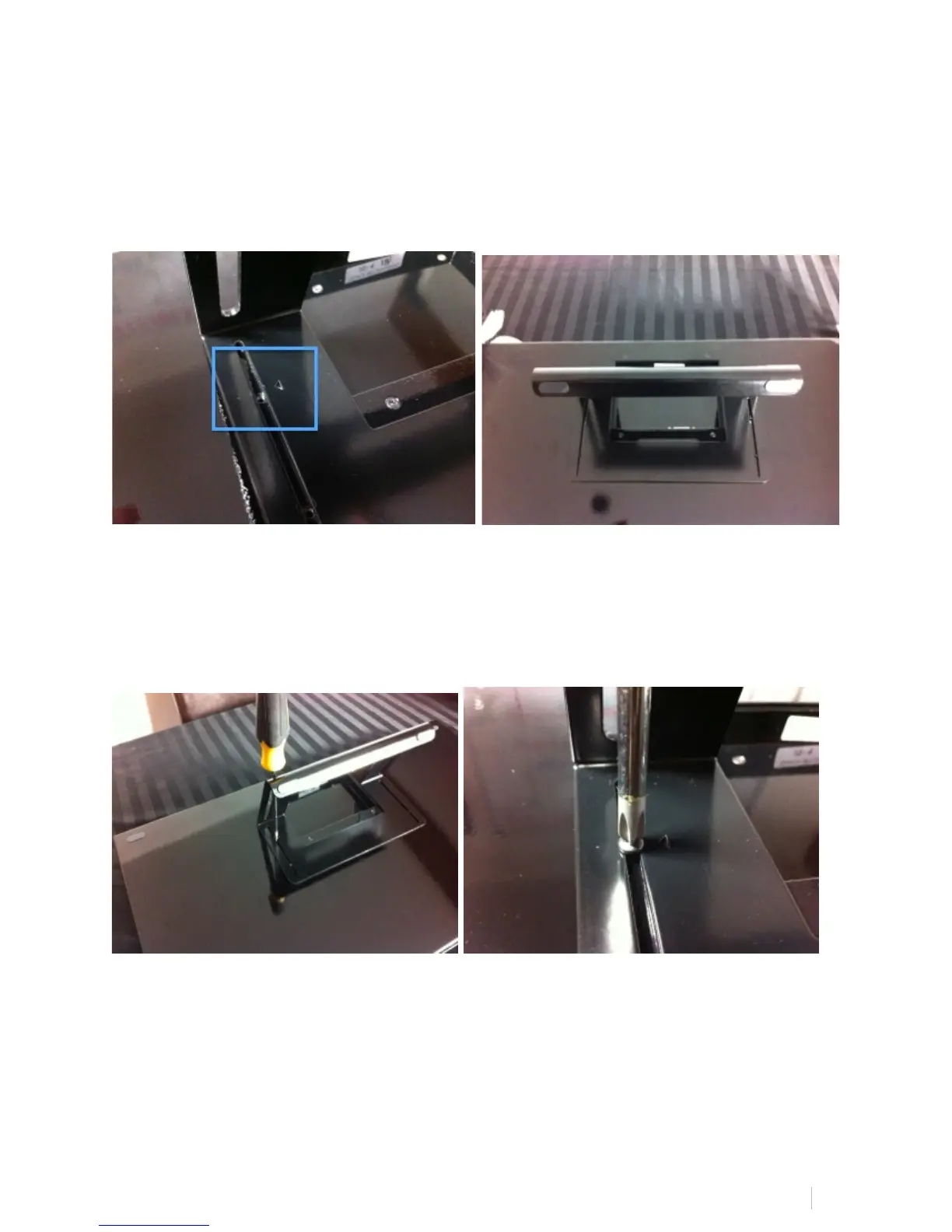
Steps To Attach The MTi Stand:
1. Align the provided top two arrows on the MTi stand with the top two holes on
the MTi body.
2. Attach the stand with four screws in the provided holes, still maintaining the
arrow’s alignment.
3. Confirm all four screws are tight and aligned. We recommend a 40˚ angle as
displayed below, however, the stand is adjustable to meet your personal
desired angle:



 To Next Page