Note: When re-opening the key commands window, it will remove the visual
confirmation of the “RAVEN Key Commands” text from the box, however once
selected, they will remain set in the application until otherwise changed.
6. Now that the custom key commands are assigned, we’ll navigate to the Menu
tab and select, “Device Setup.”
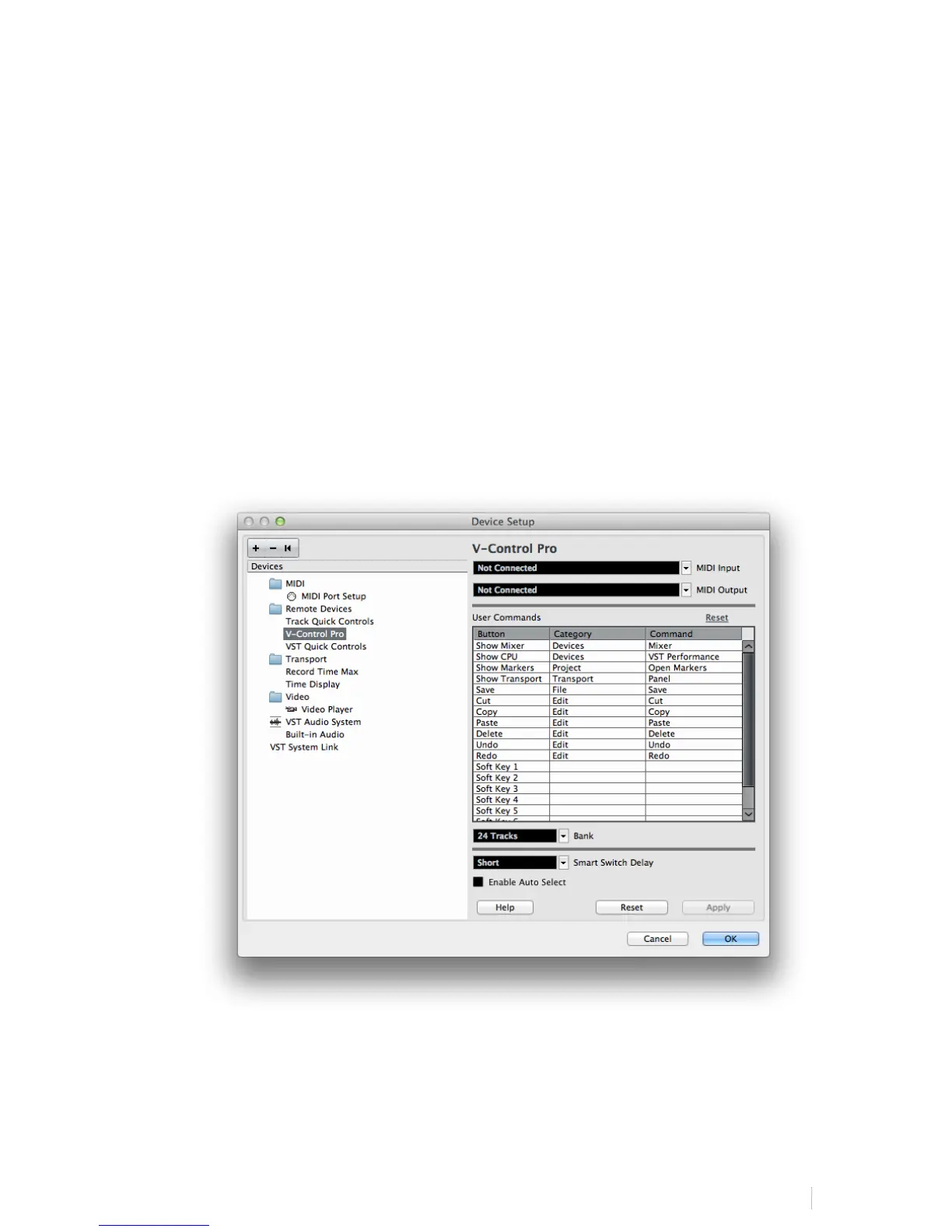
7. Now, we’ll click the “plus symbol” button on the Device Setup window and
select “V-Control Pro from the list and press “Apply.” If any notifications pop
up while configuring this, simply accept and continue.
8. Next, hit go to the “Bank” drop-down menu and select 24 Tracks from the list.
Note: You do not need to configure an input or output for V-Control Pro.
9. Once completed, close the Device Setup window and your RAVEN is now
configured with Cubase and/or Nuendo.
10. If you have calibrated for the RAVEN Dual setup, locate your Cubase or Nuendo



 To Next Page