RAYFace 4. Operating Software
56
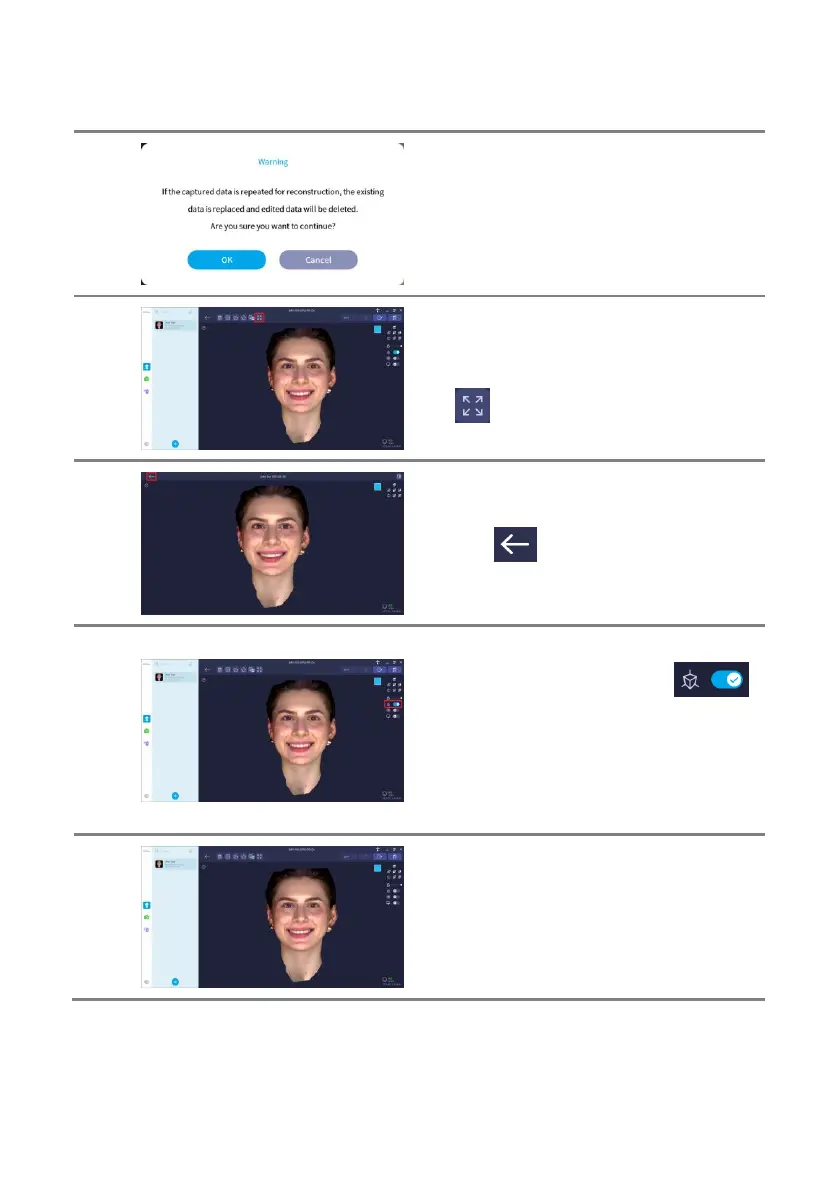
If you do 3D reconstruction again, the current
data is deleted and reconstructed again.
Clicking [OK] repeats the reconstruction.
If you feel that the screen is narrow, you can
expand it by hiding the subject list, or clicking
the [ ] button to switch to full screen.
Click the [ ] button to exit full screen.
You can switch between perspective and
orthographic views by clicking the [ ]
button.
Perspective view shows things that are far look
small and those that are near look large. It
looks similar to what you see in a photo or
human vision.
Orthographic view has no size difference
between far and near objects. It is used in the
scan data alignment menu.



 To Next Page