7
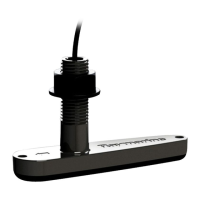
.Tiltthetransducersothatthebottomfaceofthetransducerwillbe
parallelwiththewaterlineandtightenthenutandboltuntilthetransducer
isheldfirmlyinplace.
5.4A ttachingtheconnectorlockingcollar
Thesuppliedcableisprovidedwithaseparatelockingcollarassembly,
ensuringthatthecableconnectionissecure.
Thisproceduredescribeshowtoattachthelockingcollartothecable
connector.Thelockingcollarpartsaresuppliedinaseparatebag,inthe
packagewithyourproduct.
Important:
Ensurethatyouroutethecableallthewaytoitsdestinationbefore
attachingthelockingcollar .
1.Slidethelockingcollarovertheendoftheconnector,thenpushit
towardsthecable-endoftheconnector.Ensurethatthelugsonthe
lockingcollar(labelled‘ A’intheillustration),areclosesttotheplug-endof
theconnector.
2.Slidethesplit-ringovertheendoftheconnector,thenpushittowardsthe
cable-endoftheconnector.Ensurethatthetabsonthesplit-ring(labelled
‘B’intheillustration),areclosesttothecable-endoftheconnector.
Thesplit-ringslideseasilyforapproximately1cm(0.39in)ontothe
connector,beforebuttingupagainsttheconnectormoulding.
3.Carefullyinsertthepointedendofthesuppliedtoolintothesplit-ring’s
gap(labelled‘C’intheillustration).Usethetooltogentlyleverthesplit
ringoverthemouldingontheconnectoruntilitsnapsintoposition
24



 To Next Page
 Loading...