6.
1RealVision™AHRScalibration
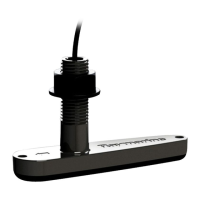
RealVision™transducersincludeabuilt-inAHRS(AttitudeandHeading
ReferenceSensor),whichmeasuresthemotionofyourvesseltoassistin
therenderingofsonarimages.AfterinstallationallRealVision™transducers
requirecalibration.
Anuncalibratedtransducercanproduceanoffsettothefrontedgeofthe
renderofthebottominthesonarimage,asillustratedbelow.
UncalibratedCalibrated
Calibrationisanautomaticprocessandstartsafteryourvesselhasturned
appro ximately100°ataspeedofbetween3–15knots.Calibrationrequires
nouserinput,howeveratleasta270°turnisrequiredbeforethecalibration
processcandeterminethelocaldeviationandapplyarelevantoffset.
Thetimeittakestocompletethecalibrationprocesswillvaryaccordingtothe
characteristicsofthevessel,theinstallationenvironmentofthetransducer,
andthelevelsofmagneticinterferenceatthetimeofconductingthe
process.Sourcesofsignificantmagneticinterferencemayincreasethetime
requiredtocompletethecalibrationprocess.Certainareaswithsubstantial
magneticdeviationmayrequireextracirclesor“figureof8”manoeuvresto
beperformed.Examplesofsuchsourcesofmagneticinterferenceinclude:
•Vesselengines
•Vesselalternators
•Marinepontoons
•Metal-hulledvessels
•Underwatercables
Note:
Insomecircumstances,itisbeneficialtodisableR
ealvisionAHRSiflocal
sourcesofmagneticinterferencearedistortingthesonarimage.Realvision
AHRScanbedisabledfrom[Settings].
[Menu>Settings>Sounder>AHRSstabilization]
Note:
TheCalibrationprocesswillrequirerepeatingaftera[Sonarreset]orMFD
[Factoryreset].
6.2Troubleshooting
Thetroubleshootingsectionprovidespossiblecausesandthecorrective
actionrequiredforcommonproblemsthatareassociatedwiththeinstallation
andoperationofyourproduct.
Beforepackingandshipping,allRaymarine®productsaresubjectedto
comprehensivetestingandqualityassuranceprograms.Ifyoudoexperience
problemswithyourproduct,thissectionwillhelpyoutodiagnoseandcorrect
problemstorestorenormaloperation.
Ifafterreferringtothissectionyouarestillhavingproblemswithyour
product,pleaserefertotheT echnicalsupportsectionofthismanualfor
usefullinksandRaymarine®ProductSupportcontactdetails.
Operationinstructions
Fordetailedoperationinstructionsforyourproduct,refertothe
documentationthataccompaniesyourdisplay.
AllproductdocumentationisavailabletodownloadfromtheRaymarine
website:www.raymarine.com/manuals.
S ystemchecksandtroubleshooting
29



 To Next Page
 Loading...