Chapter 2
Intelligent Field Panel
RBH Access Technologies Inc. Integra32
™
Hardware Guide
11
Status LED's
Computer/Modem Port
The computer/modem port has two LEDs to show the flow of data between the IRC-2000
controller and PC or modem. The red RX LED (LED3) flashes when the controller
receives data. The green TX LED (LED4) flashes when the controller transmits data. If
the controller is connected directly to the PC, the status LED's flash continuously.
Run LED
The run LED (LED2) flashes to indicate the controller is not communicating, it is on
solid when running normally, and off if power is missing.
Diagnostic LED
This LED (LED1) will be on if either (reader A or reader B) buzzer output is on.
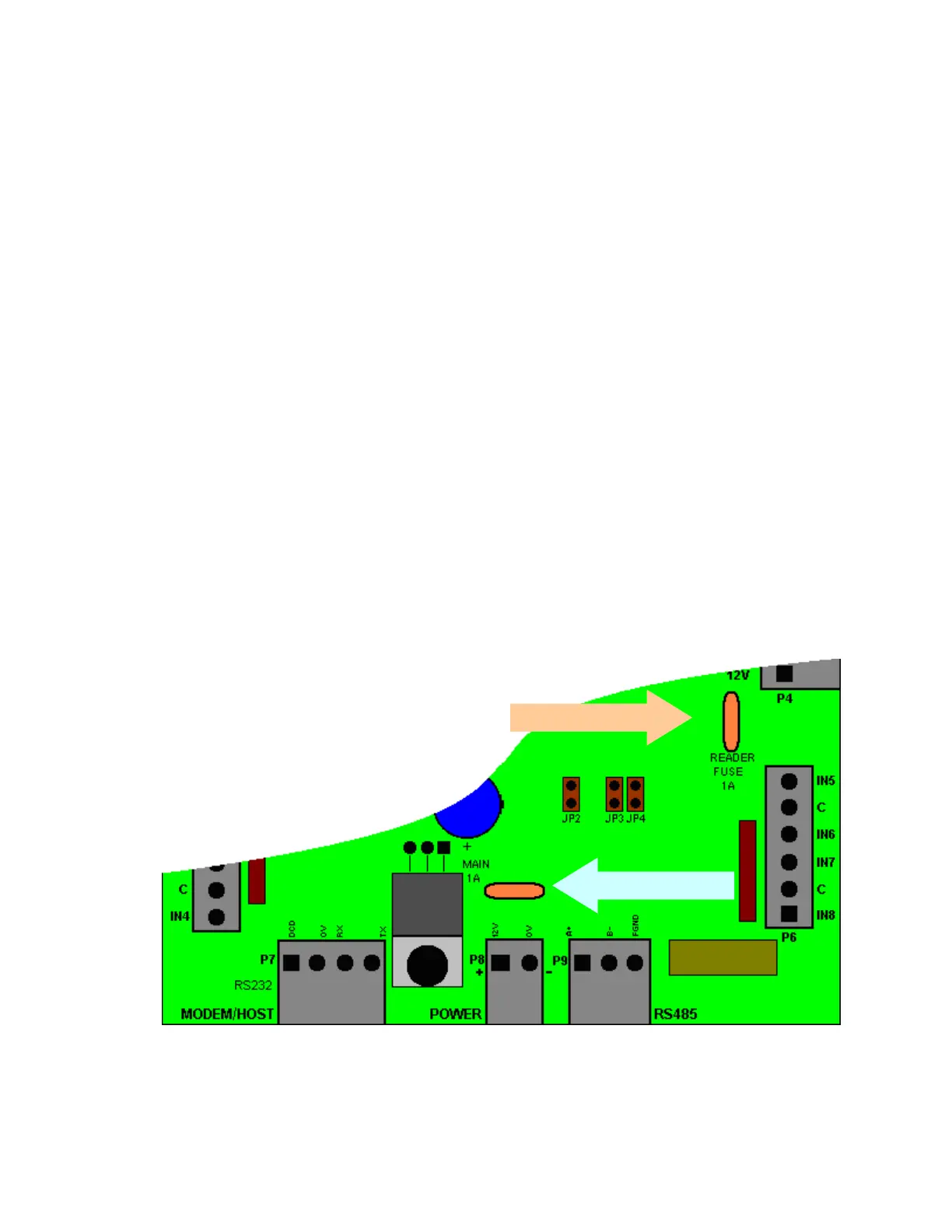
Fuses
There are two 1-amp self-resetting Polyfuses on the IRC-2000 board. F1 is connected to
Reader Power and F2 is connected to Main Power.



 To Next Page