Appendix 1
Specification Sheets
RBH Access Technologies Inc. Integra32
™
Hardware Guide
58
Cautions/Procedure for Modems connection
1. Dipswitch 8 of all IRC-2000s should be set to OFF before making the modem connection.
2. After establishing the modem connection, download to all IRC-2000s and not just the IRC-2000 to which
modem is connected (so that the password is downloaded to all the panels).
3. Change all Dipswitch 8s to ON.
4. Re-power the IRC-2000s.
Configure Modem COM Port on the Integra32
™
Server
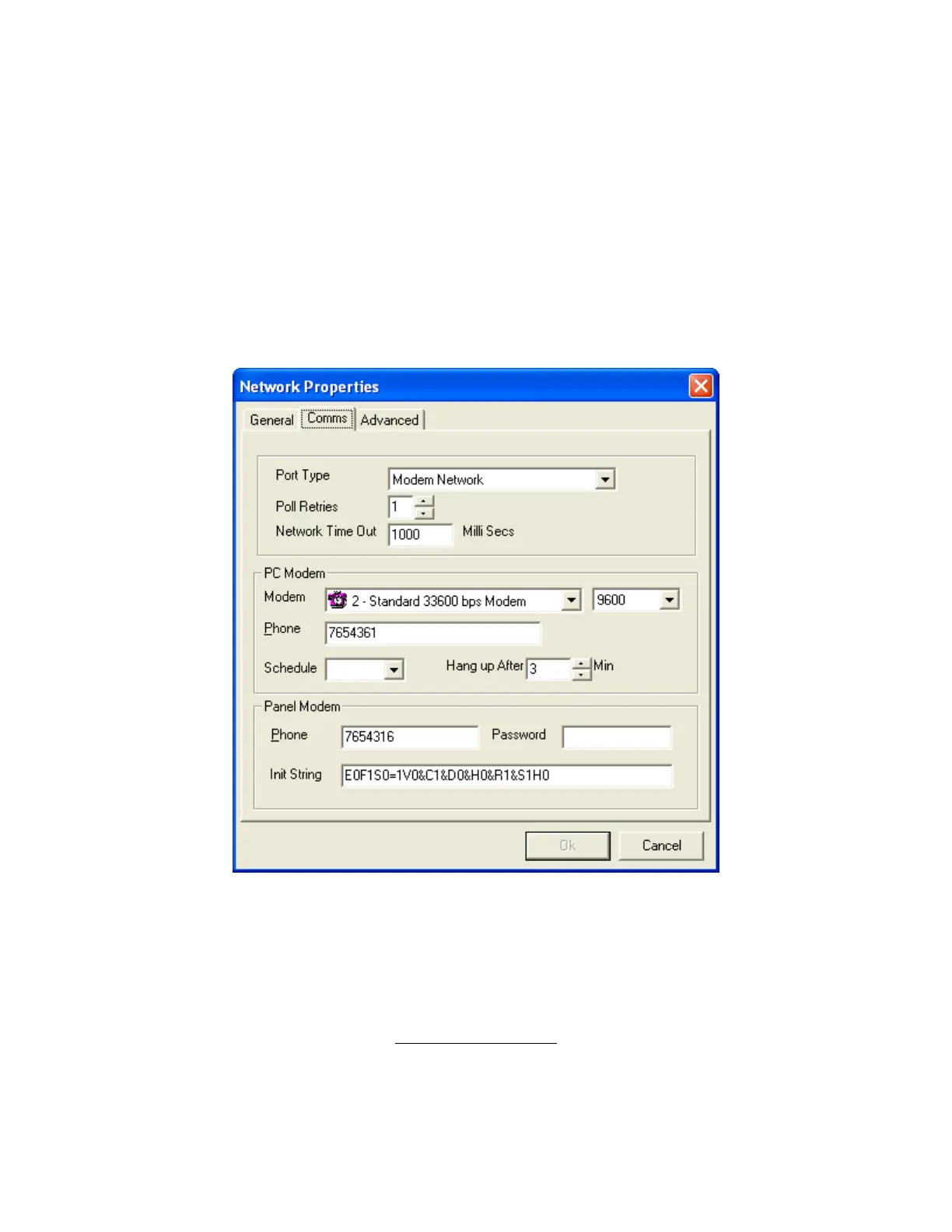
1. Open the Network Properties window in the Integra32
™
Database Manager.
2. Click on Port Type and select Modem Network.
3. Use the Modem combo box down arrow and select the modem from those already setup under Windows.
4. Set the baud rate 9600 and Phone number (for the software to call the remote site).
5. Enter a password. (Connect the first time with Dip switch 8 off.)
6. Click OK to complete the configuration.
In House Hardware Setup



 To Next Page