7 Troubleshooting
36 / 44 BAL_K21_EN_3V3_BLA_121-006423019
7 Troubleshooting
7.1 Conduct during malfunctions
If a malfunction occurs in the revolving door, it will appear on the control unit display.
Operational malfunctions of the revolving door are shown on the BDE-D-KTA control unit of the re-
volving door and operational malfunctions of the sliding door on the BDE-D-STA of the sliding door.
IMPORTANT
In all operating modes, with the exception of "locked", the radial protective sliding wing can
be pushed open manually to escape the rotor chamber in the case of a malfunction.
The radial protective sliding wing on the outside of the revolving door is blocked when in the
"locked" operating mode!
7.1.1 Display on the respective control unit BDE-D
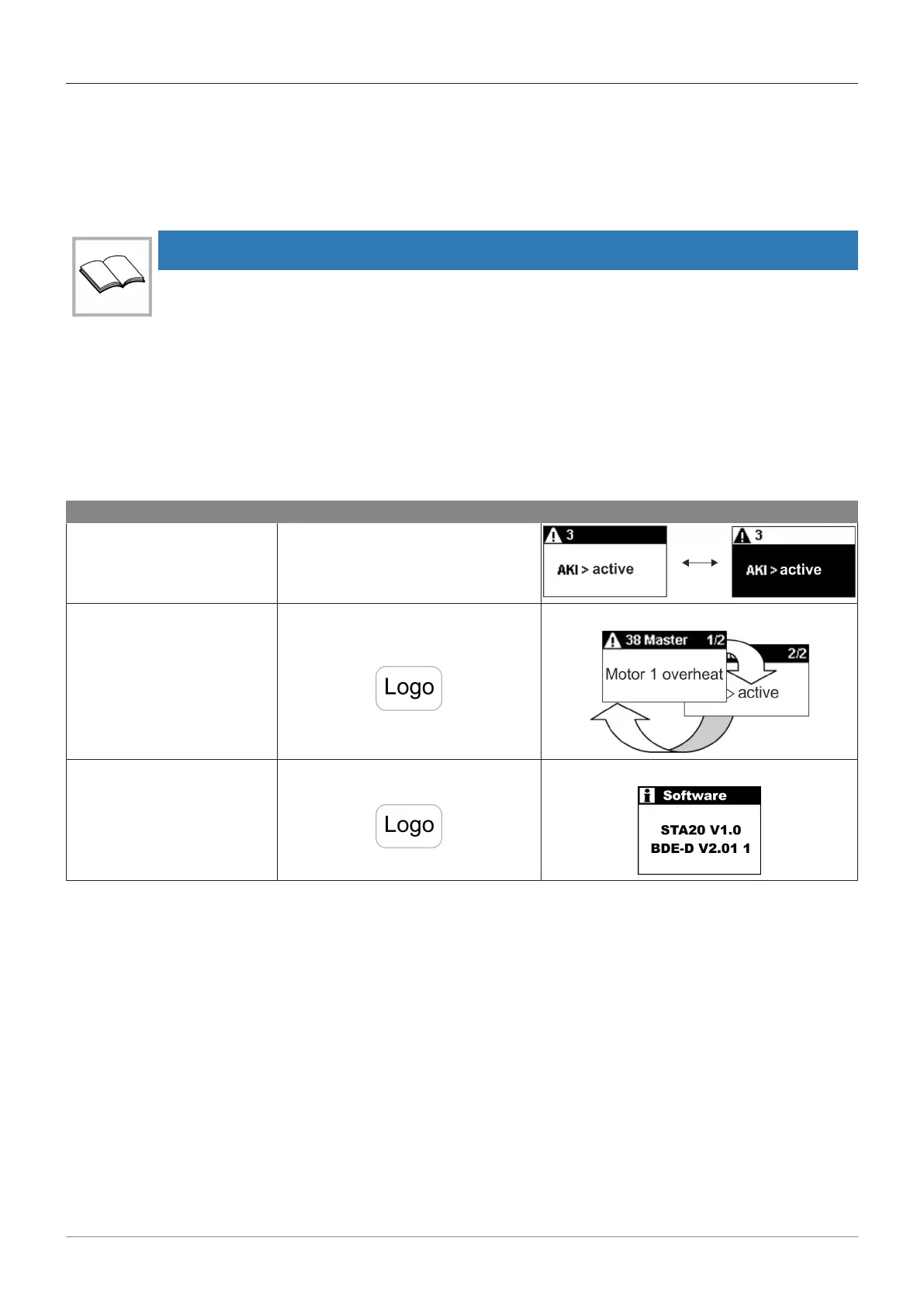
– Status messages with status number and text appear on the control unit display.
– The display switches between black / white.
– After 10 sec. alternately, the telephone number of the service centre will be displayed (if pro-
grammed).
– If different status messages are activated simultaneously, they will be numbered: e.g. error 1/2.
What information? Procedure Displayed as? (example)
Status messages and num-
ber
– Will automatically appear on the
control unit.
Several status messages
and numbers
– If more are shown: Scroll through
the status messages by pressing
the key.
Software-Versions – Pressing the following button on
the control unit for 2 sec.
7.1.2 Potential troubleshooting
– Thanks to the status message on the BDE-D, some malfunctions can be fixed by the operator.
– If you are unsure, or the status message is not listed in the table, please contact your service
centre.
– Before calling, please note the information displayed on the BDE-D control unit. This information
gives the technician important instructions for potential troubleshooting.







 To Next Page