BlackMax – Installation and Operation Manual
Page 19 of 36
Issue date: 24/11/2023. Version 13.0
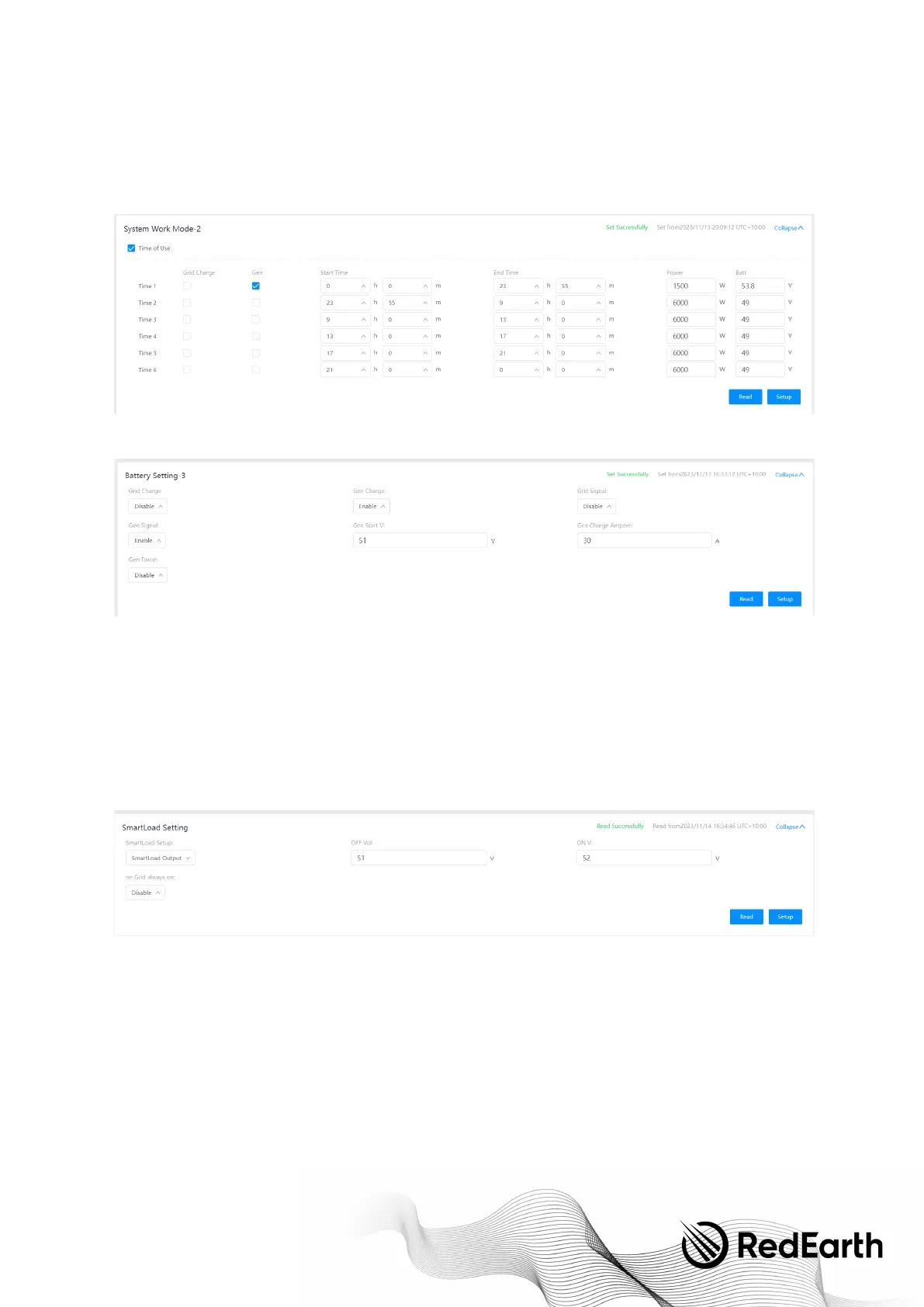
Adjusting Generator Charge Rate
To a d j u s t t h e g e n e r a t o r l i m i t y o u m u s t a d j u s t t w o p a r a m e t e r s .
1. Adjust the Power in section "Time 1", this will adjust how much the generator can be used to feed any loads if the battery is
full.
2. Adjust the "Gen Charge Amperes" setting, this will adjust the number of Amps in which the generator will be allowed to
charge the battery.
SMART LOAD SETUP
The generator input port can be reconfigured as either a smart load output port or as an AC-coupled renewable energy input
port.
Smart Load Output (e.g., to connect an air-conditioner)
To convert the generator port to a smart load output (disabling generator functionality), navigate to the smart load setting panel
and adjust the smart load setup dropdown to read "Smart Load Output".
For the Smart Load Output, there are several simple parameters to tune it to the customers’ requirements:
Smart Load OFF Batt:
This is the Battery SOC at which the Smart load switches off. (e.g. air-conditioner turns off)
Smart Load ON Batt:
This is the Battery SOC at which the Smart load switches on simultaneously, turning on the load. (e.g. air-conditioner turns on)
On Grid always on:
Clicking "on Grid always on" activates the smart load when the grid is present.
AC-coupled renewable input port
(e.g. to connect an extra PV inverter)


 To Next Page