— English Variomat 1 — 06.07.2016 – Rev. B
Connecting the RS-485 interface
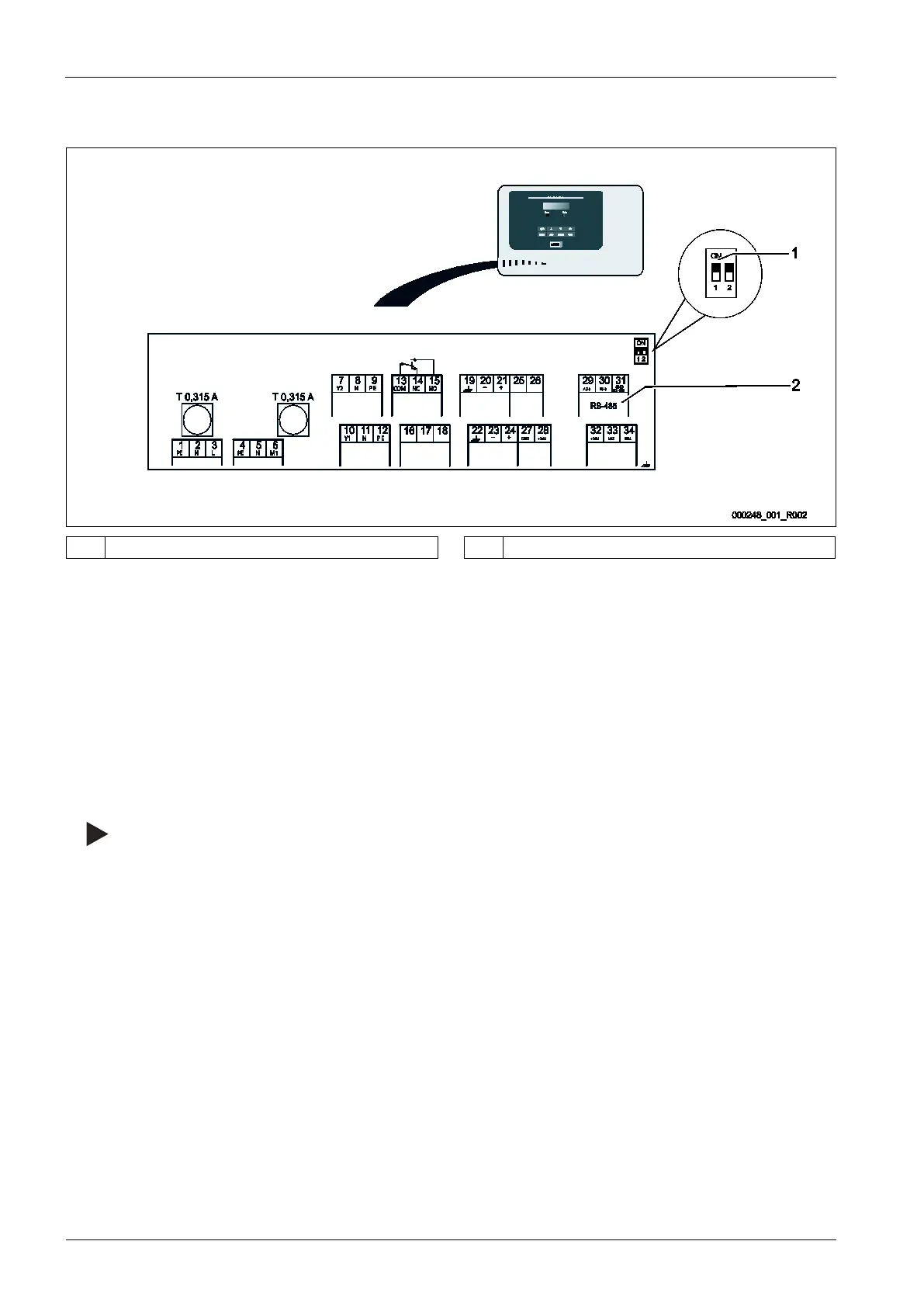
Circuit board of the Control Basic controller.
1 DIP switch 1 2 Connection terminals for RS-485 connection
Proceed as follows:
1. Open the housing cover of the Control Basic controller.
2. Use a screened cable to connect the RS-485 interface to the main circuit board.
• Terminal 29 (A+)
• Terminal 30(B-)
• Terminal 31(GND)
3. Connect the cable screen at one side.
• Terminal 22
4. Activate the terminators on the main circuit board.
• Dip switch 1
Note!
Activate the terminator when the device is at the beginning or the end of an RS
-485 network.




 To Next Page