106
Chapter 4
ELECTRONICS-TYPICAL
Your boat features several electronic options. If installed,
they may include a chartplotter, radar, VHF radio with DSC
capability and XM satellite weather radio. Operating in-
formation for electronics can be found in the owner’s in-
formation packet.
Please refer to each vendors owner’s manual for in-depth information
regarding individual electronic components.
Regal reserves the right to upgrade, change, modify, or eliminate any
system or component at anytime.
System Operation Overview
To operate dash electronics the following switches need
to be energized:
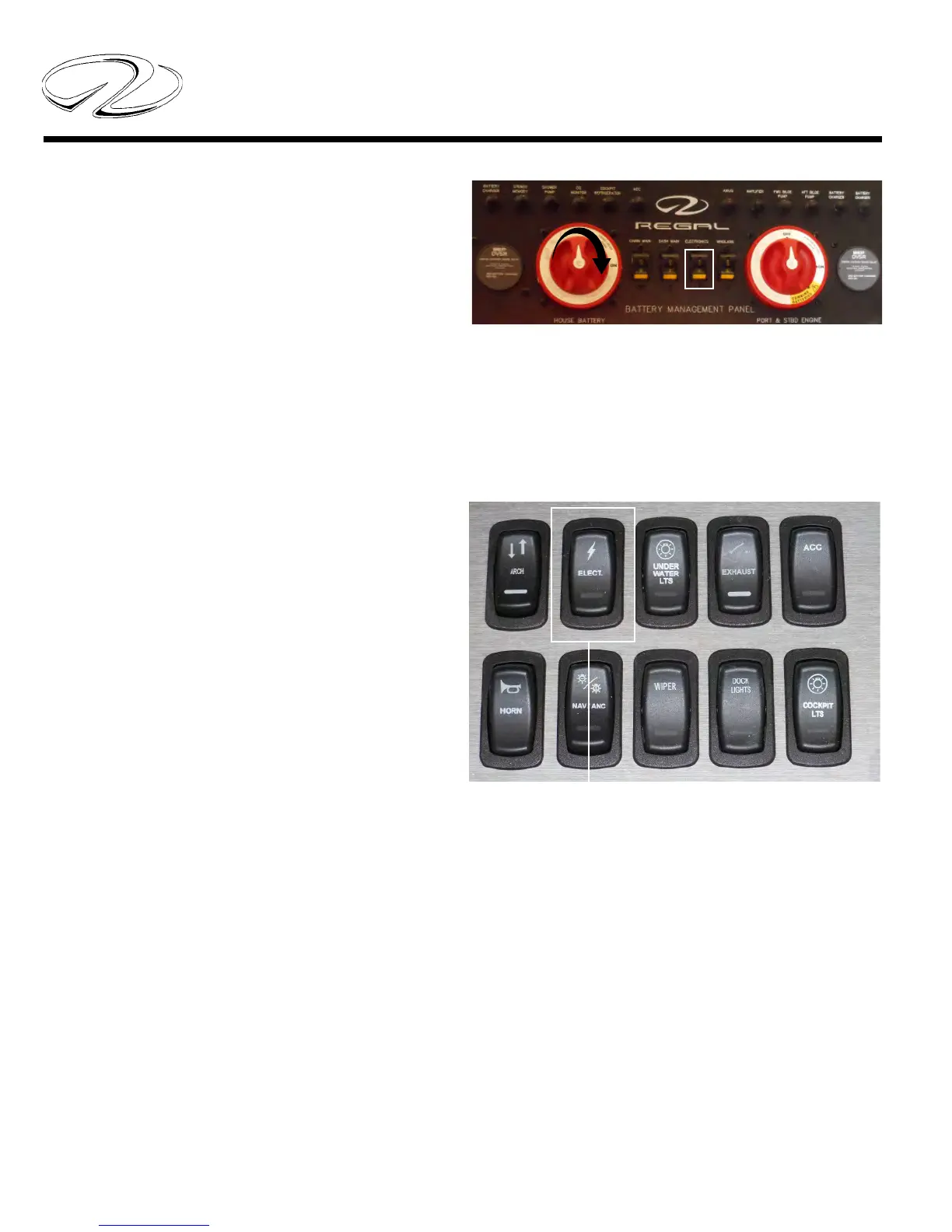
1. Make sure the battery switch is activated. To perform
this function turn the “house” battery switch to the “on”
position as shown by the arrow in the illustration.
2. Activate the “electronics” switch at the helm panel
which controls power to the GPS antenna.
3. At this point each individual component can be acti-
vated.
Notice the electronics breaker as shown above by the
white outlined rectangle. If the electronics components
do not power up, check to ensure this breaker is activat-
ed. Always fi nd the source of a tripped breaker problem
before reactivating it. Press the breaker in to reset it.
Electronics: Helm Switch



 To Next Page