107
Systems
Chartplotter
The unit features a touchscreen, NMEA 2000 compat-
ible, multifunction display, pre-loaded with U. S. coastal
maps and interfaces with other electronic components It
displays graphics with crisp, video-quality resolution.
Chartplotter Operation
Before operating the chartplotter read and understand the
vendor supplied owner’s manual including all the warning
information.
These chartplotters feature “touch” screens. When you
see information groups on the screen use your fi nger to
touch the format desired. With some information in par-
ticular it is required that you actually drag an object by us-
ing your fi nger and keeping it on the screen as you move
the object.
A. To power the system the “house” battery needs to be
activated by the battery switch at the battery management
panel.
B. Next, turn the helm electronics switch to the “on” po-
sition. This powers up the GPS antenna and the auto pi-
lot. The chartplotter is now ready to power up.
C. Press and release the chartplotter power key. When the
warning screen appears, touch I agree. At this point you
will be taken to the home page screen.
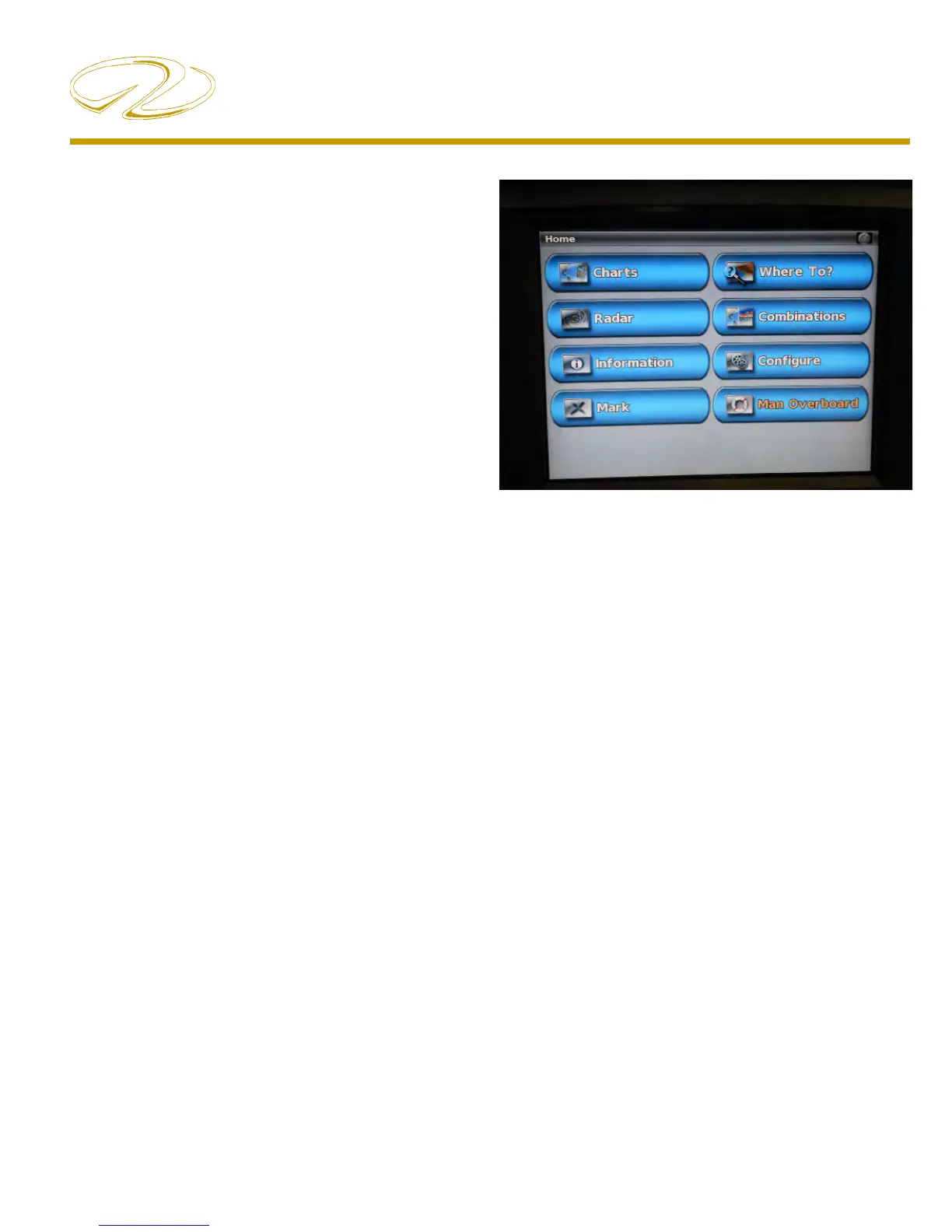
Home Screen
Charts- Selects navigational charts and radar overlay func-
tions.
Radar- Sets up and provides sonar information through
the optional transducer.
Information- Shows tide conditions, currents, celestial data,
information about other vessels, your yacht’s instrumen-
tation, and video.
Mark- Marks, edits, or deletes your current location as a
waypoint or Man Overboard
Where To?- Searches and navigates to service areas, routes
and waypoints.
Combinations- formats screen to view a chart, sonar, radar,
and video cameras (2 cameras on each chartplotter; re-
quires the extra chartplotter option).
Confi gure- Permits the editing of chartplotter system set-
tings (Can set a simulator mode where you can practice
using most of the chartplotter functions).
Man Overboard- Marks your current position as a waypoint,
and sets a course back to the marked location.



 To Next Page