37
or our Customer Service Department directly at (716) 686-4500.
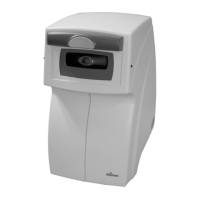
The AT550 requires very little routine maintenance due to its advanced design.
For instance, there are no bulbs or lamps to change.
If you have questions relating to maintenance, contact your local dealer or our
Customer Service Department directly at (716) 686-4500.
Nosepiece
Clean the end of the nosepiece with a dry cotton swab.
The gray nosepiece cover may be cleaned with a lightly moistened cloth.
DO NOT USE ANY LIQUIDS SUCH AS ALCOHOL OR PROPRIETARY CLEANERS.
DO NOT PUSH ANYTHING INTO THE NOSEPIECE APERTURE
Printer Paper
Instructions for changing printer paper can be found on the inside of the printer
door. To order replacement thermal paper, call your local dealer and ask for
replacement paper, catalog No. 12441.
Maintenance
RAISE PAPER RELEASE LEVER AND REMOVE USED ROLL.
CUT OR TEAR (DO NOT FOLD) END OF NEW ROLL INTO A
POINT. FEED INTO LOWER SLOT AS SHOWN AND LOWER
PAPER RELEASE LEVER. PRESS FEED SWITCH, PAPER WILL
EXIT THROUGH UPPER SLOT. ALWAYS USE THERMAL
PRINTER PAPER, CATALOG NO. 12441.
Instructions found inside printer door.
Paper
Release
Lever
Feed
Switch


 To Next Page
 Loading...