RENA XPS-80/90
User Guide
6-12
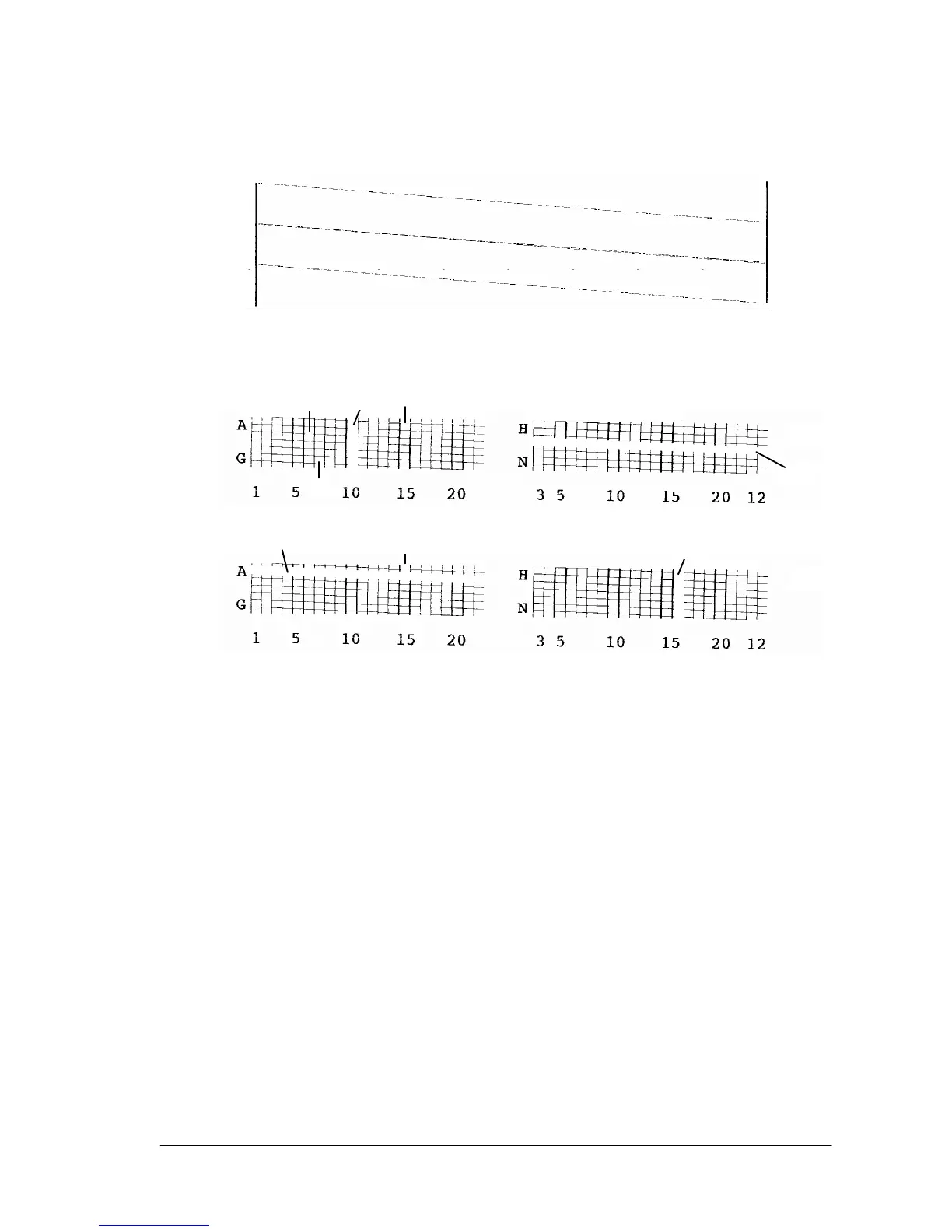
b) The contacts to all nozzles, addressed individually in
sequence, are visualized in a continuous oblique line.
Examples of defects on cartridges
a.1 = No connection on contact “K“ (on cartridge C1)
a.2 = No connection on contact “B“ (on cartridge C3)
b.1 = No connection on contact “10“ (on cartridge C1)
b.2 = No connection on contact “16“ (on cartridge C3)
c = These nozzles are soiled.
Possible corrections:
• Open and close the lever that secures the cartridge into the
pen stall. This may help to properly align contacts.
• Clean the cartridge nozzles, as described in Section 5.6, to
remove any ink deposits from the nozzles (XPS-80 only).
• Clean or service the wipers and felt pads (XPS-90 only).
• Clean the cartridge contacts with rubbing alcohol.
• Insert a new ink cartridge.
C1
C2
C3
c
c
c
c
C1
C3
a.1
b.2
a.2
b.1



 To Next Page