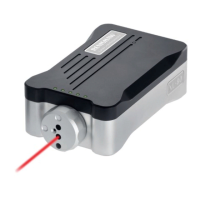
3. LED (red, green) – PROBE STATUS.
This bicolour LED is lit when the OMI
is powered.
Green - Probe is seated.
Red - Probe is triggered or
an error has occurred.
The change of colour of this LED will
coincide with the probe status output
devices changing state.
4. LED (red) – ERROR.
Lit when an error condition exists.
i.e. optical beam obstructed, probe out
of optical range, probe has switched off
or battery is exhausted.
When an error condition exists the
probe status output will be held in a
triggered state and the probe status
LED will be RED.
The error LED illuminating will coincide
with the error output device changing
state.
5. LED (red, yellow, green) – Infrared SIGNAL
strength received from probe.
As long as there is power to the system, this LED
will always be lit. It is a tricolour LED and indicates
as follows :
Red - Signal received from the probe is
either
too weak
or
not there at all
(i.e. no signal).
Yellow - Signal received is marginal.
i.e. The OMI is at the edge of its
operating envelope. Correct operation
in this region cannot be guaranteed.
Green - Signal received is good and system
will operate correctly.
Note :
1. During a start transmission, the SIGNAL
LED will change through red to yellow and
green.
This is the normal power up sequence.
2. The SIGNAL LED will flash (yellow or green)
if optical interference is being received whilst
the probe is not transmitting.
6. LED x 3 groups (clear)
These LEDs transmit infrared control signals
to the probe.
1-41


 To Next Page