14
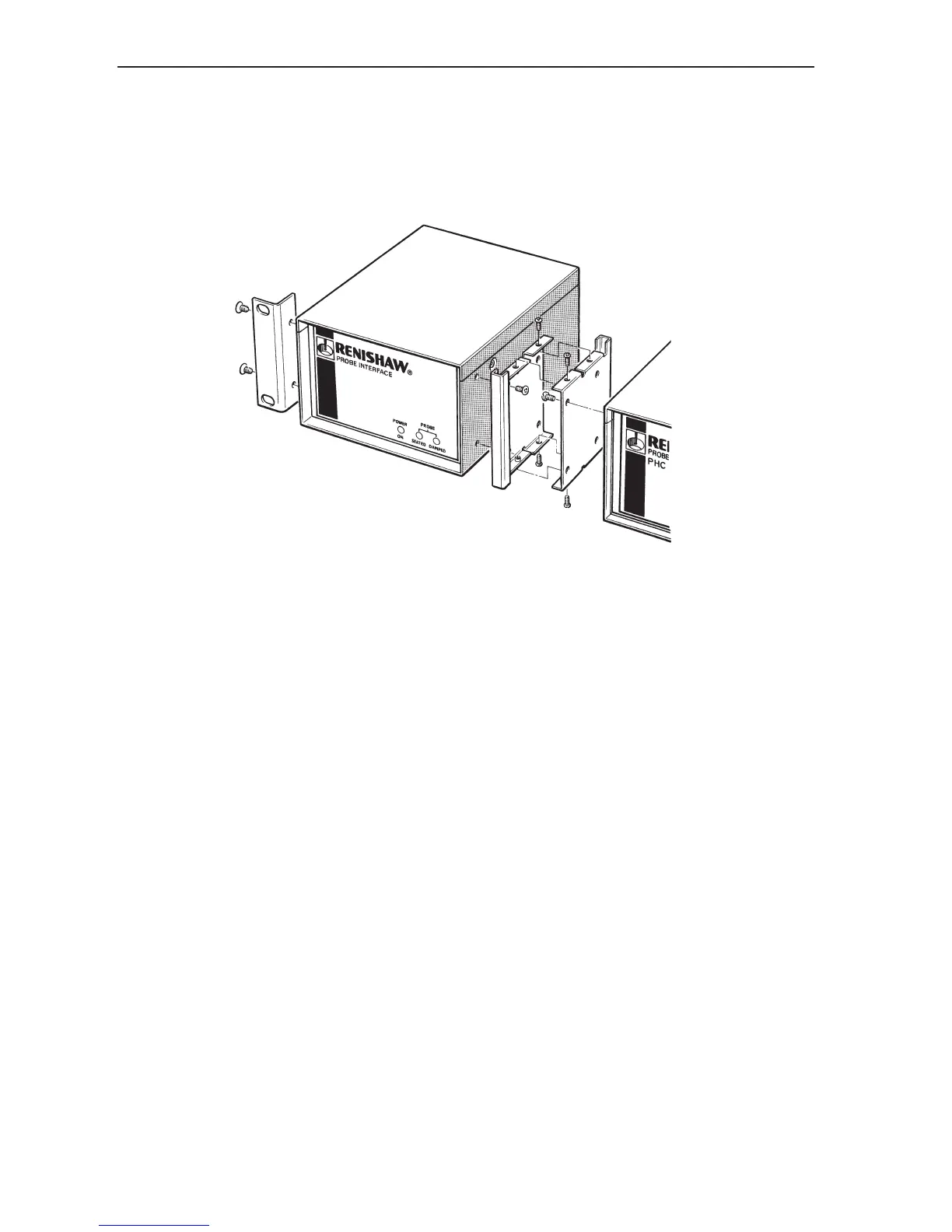
Remove the blanking plugs from the side panels of the PHC10-2. Fit a rack mounting bracket (1) and an
enclosure link bracket kit (3) using the screws provided as shown in figure 15.
Figure 15 - Fitting brackets to the interface
The enclosure link bracket kit (3) is part number A-1018-0126.
The enclosure link brackets must be fitted in the orientations shown. Fit the brackets to the units before
fitting the brackets together. Using the screws provided, fit together the PHC10-2 and the interface. The
completed assembly is now ready for fitting to the rack.
1
3
Installation


 To Next Page