16
RS232 serial communications
4.1 RS232 connector pinouts
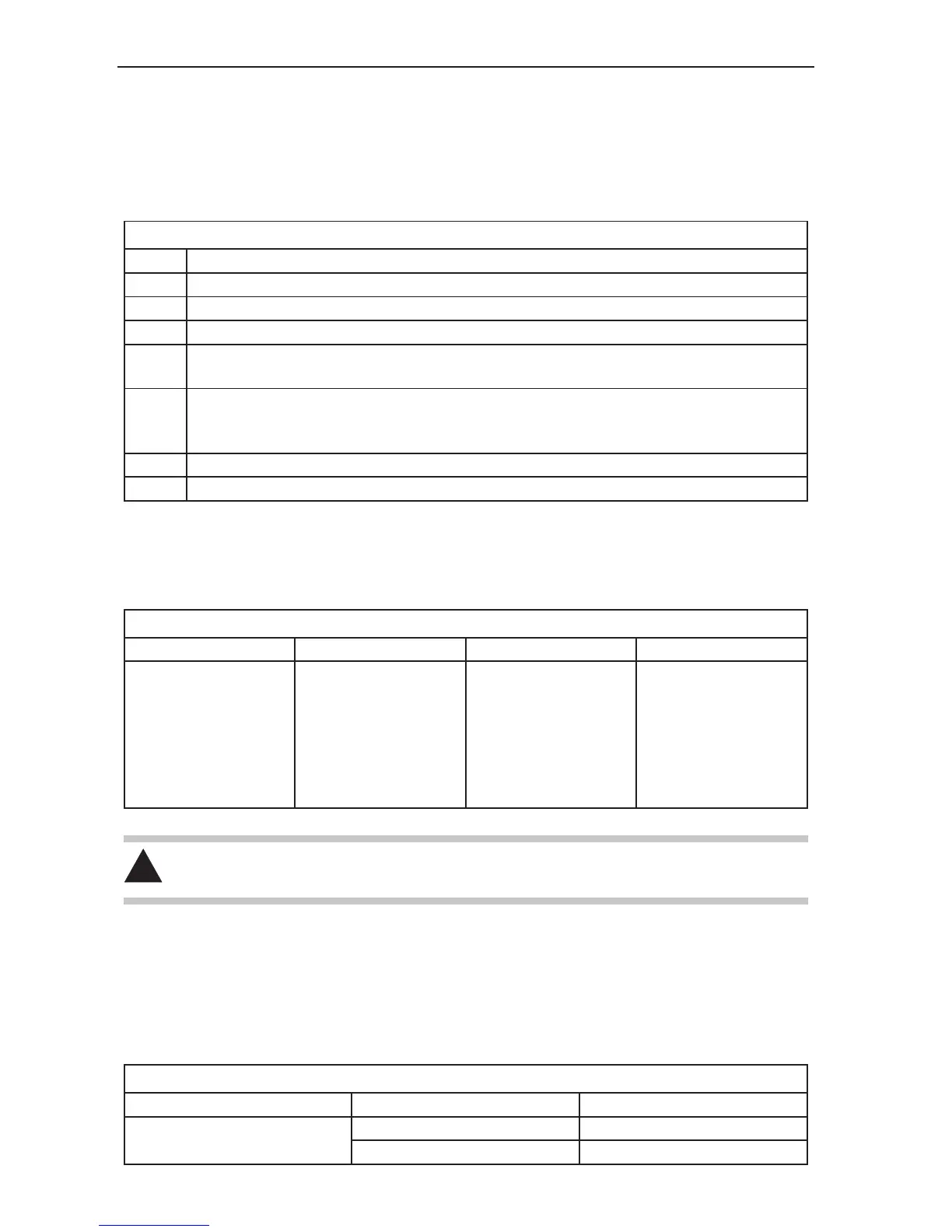
The PHC10-2 communicates with the CMM computer via the RS232 cable as shown in table 1.
Table 1 - RS232 connector points
Pin Signal
1 Screen
2 Transmitted data (Tx) to CMM computer
3 Received data (Rx) from CMM computer
4 RTS (Request To Send) to CMM computer
+12V after initialisation routine completed
5 CTS (Clear To Send) from CMM computer
CMM computer disasserts CTS to halt PHC10-2 transmissions
Connect pin 5 to pin 20 if CTS is not output from the CMM computer
7 Signal ground (common)
20 DTR (Data Terminal Ready) to CMM computer signifies PHC10-2 power ON condition
4.2 Baud rate selection
The baud rate is set using switches 1 to 3 as shown in table 2 below:
Table 2 - Baud rate selection
Baud rate Switch 1 Switch 2 Switch 3
300
600
1200
2400
4800
9600
19200
DOWN
UP
DOWN
UP
DOWN
UP
DOWN
DOWN
DOWN
UP
UP
DOWN
DOWN
UP
DOWN
DOWN
DOWN
DOWN
UP
UP
UP
CAUTION: The PHC10-2 must be powered down and then powered up to allow any changes to
the rear panel switch settings to take effect.
4.3 Protocol selection
The RS232 version of the PHC10-2 has two switch-settable command sets (basic command set and
extended command set) offering different protocol options.
The command set selection is made using switch 9 on the rear panel.
Table 3 - Command set selection
Switch Position Selection
9
UP Extended command set mode
DOWN Basic command set mode


 To Next Page