24
d) Change / Replace lament
• Changethelament,ifyouwanttoswitchtoanotherlamentcolorormaterial.
• Replacethelament,iftheexistinglamentisusedupandanewlamentshallbeused.
• Beforechangingorreplacinglament,theextrudermustbeheatedsothattheoldlamentcanbecleanlyreplaced
fromtheextruder.
Donottouchthehotextrudernozzle.Dangerofburns!
1
2
3
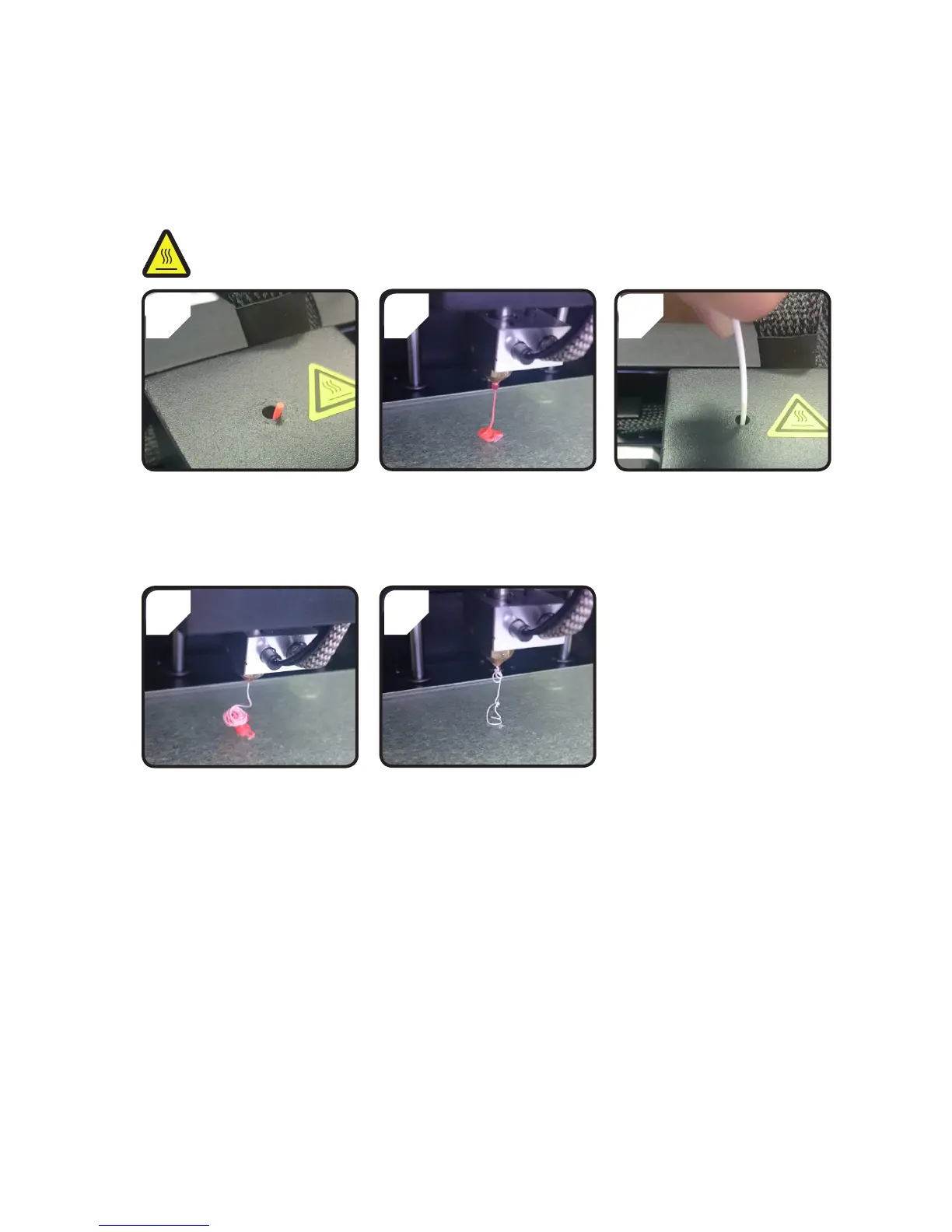
• Cut the existing lament in the
extruder.
• Removethe lament spoolfrom
thelamentspoolholder.
• Select<PreheatPLA>.
• Remaininglamentisextruded.
• Placethenew lament ontothe
lamentspoolholder.
• Feed the new lament into the
extruder.
4
5
• Select<Loadlament>.
• Letthenewlamentextrude...
• ... until the residue of the old
lament has been completely
removed from the extruder. It
can be recognised by the colour
change.
e) Install “Cura“ software (optional)
Fordetails,pleaserefertochapter“16.Printfrom“Cura“software”onpage27.



 To Next Page