40
i) Start printing
• OncetheprinterisconnectedtothecomputerviatheUSBcable,printicon appears.
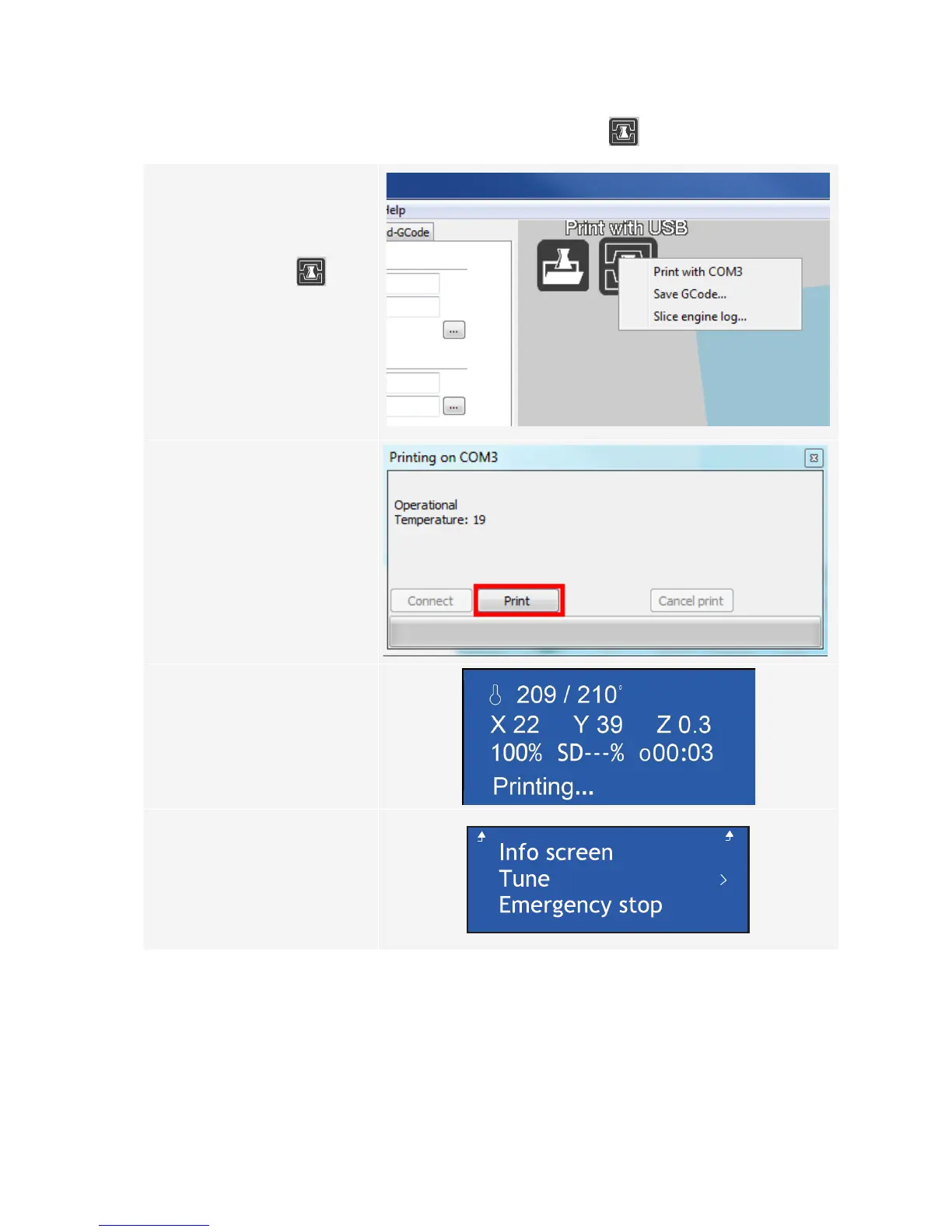
1 Right click the icon . Select
“Print from COM3“ to start
printing. (Alternatively you can
savetheg.codetoSDcard)
1
2
2 Click “Print”.
The nozzle heats up. Once the
“Printingtemperature“isreached,
the 3D printer is ready to start
printing.
3
3 3D printer starts printing. < Info
screen > appears on the LC
displayofthecontrolpanel.
4 Pressthecontrolknobtoenterthe
< Main > Menu. If needed, adjust
the parameters during printing
(for details refer to “c) Adjust
parameters during printing“ on
page 26) or in any emergency
caseselect<Emergencystop>.



 To Next Page