39
h) Load model le – Windows
®
and Mac OS
• Inthemainfolder“3DModels”ontheenclosedSDcard,youwillndafewexamplesfortherstprintingattempts.
However,therearealreadymanyplacesonlinewhereyoucandownload3Dmodelles.Alternatively,youcanalso
usea3Dprogrammetomakeyourown.Ensurethatthe3Dmodelleisin.stlformat(STL-le).
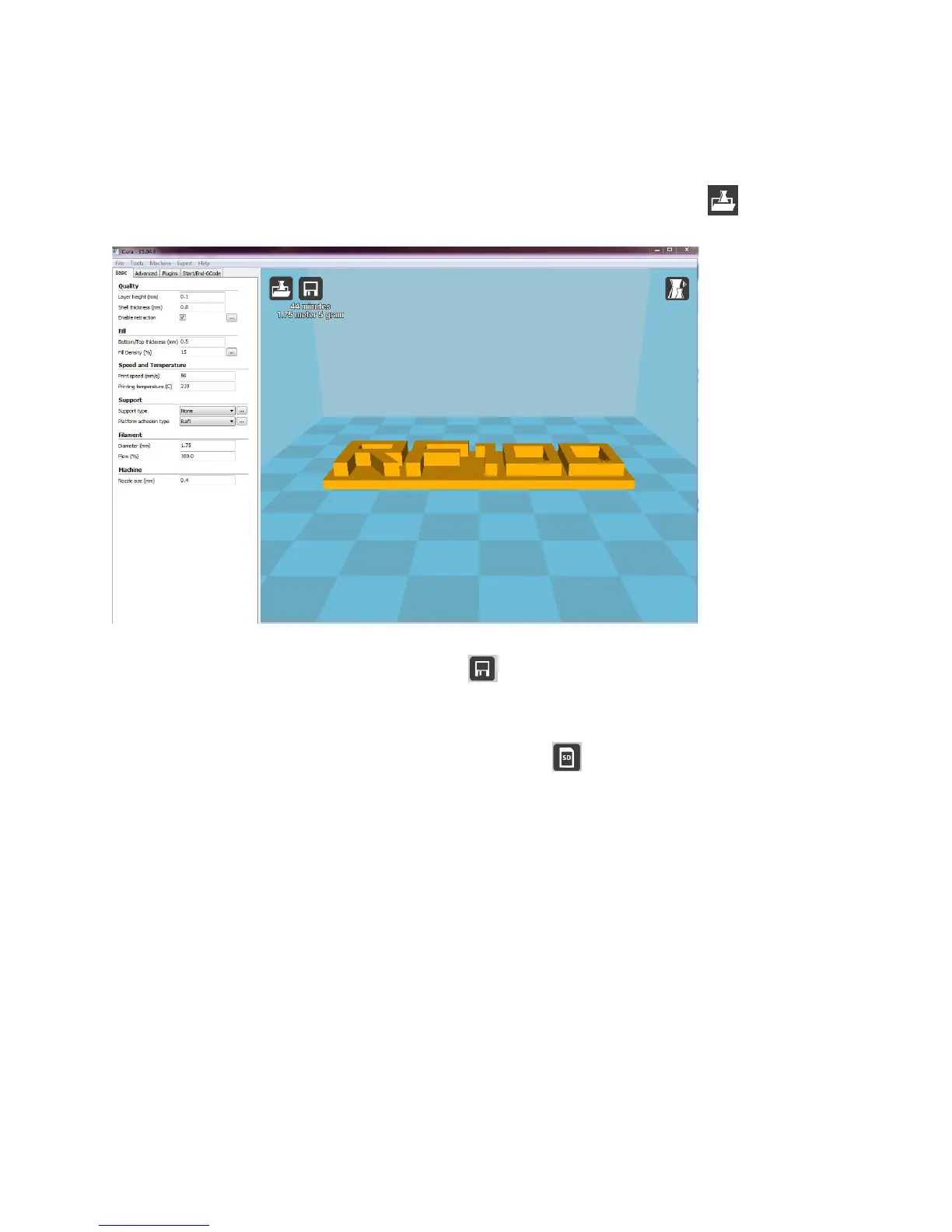
• Loadthemodellebydraggingitontothevirtualbuildbedinthemainwindoworbyclickingthe button.The
lewillbeconvertedautomaticallyto.gcodeformat.
WhentheSDcardisnotinsertedinthecomputer,clickthe buttontosavetheGCODEleonthecomputer.
• Foroff-lineprinting,savetheGCODEleontotheSDcard.TheninserttheSDcardintotheprinteranddirectlystart
printingfromtheprinter’scontrolpanel.
• WhentheSDcardisconnectedtothecomputer,thebuttonturnsinto enablingyoutosavetheleontothe
SD card.



 To Next Page