Wear or damage of the device
Operation without grinding set
− During operation of the device without grinding set, excessive wear or
damage to the device may occur.
• Operate the device only with a grinding set mounted.
Damage to mechanical components
Blockages typical of cutting mills
– When coarse, solid material is fed in for grinding, the high feeding capacity
of the standard rotor can cause blockages that are typical of the cutting
mills.
• If blockages occur, switch off the mill immediately and remove the
clogging material.
5.7.1 Removing the Rotor
• Stop the device.
• Open the grinding chamber door.
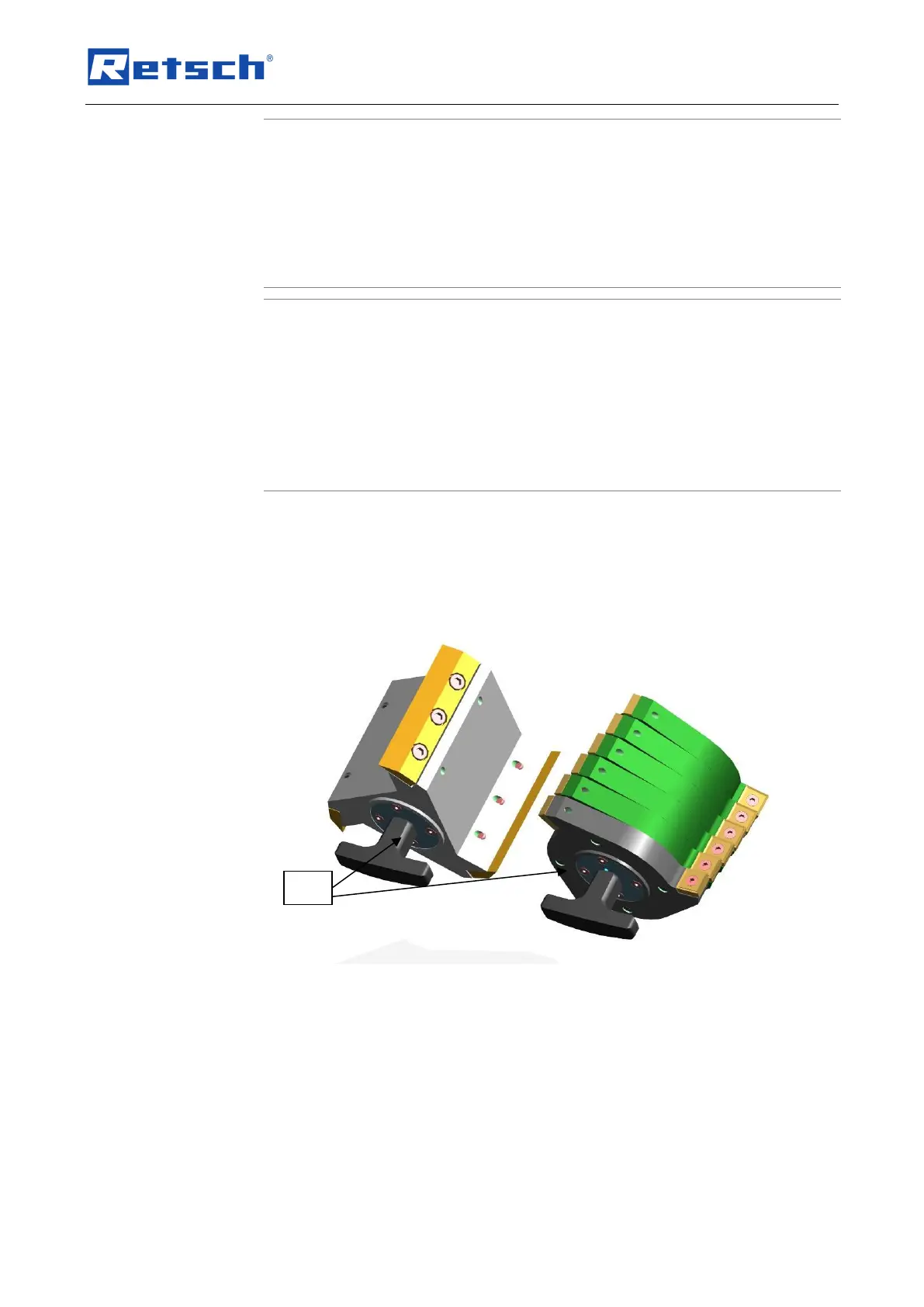
• Screw the extraction tool (EG) onto the rotor and pull the rotor off the
driving shaft.
Fig. 15: Extraction tool
5.7.2 Inserting the Rotor
• Clean and lubricatethe motor shaftas well as the rotor.
• Push the rotor onto the motor shaft.
The device is otherwise essentially maintenance-free.
However, we recommend a regular inspection of the cutting tools depending on the frequency
of use but at least once a month .


 To Next Page