PAGE 8
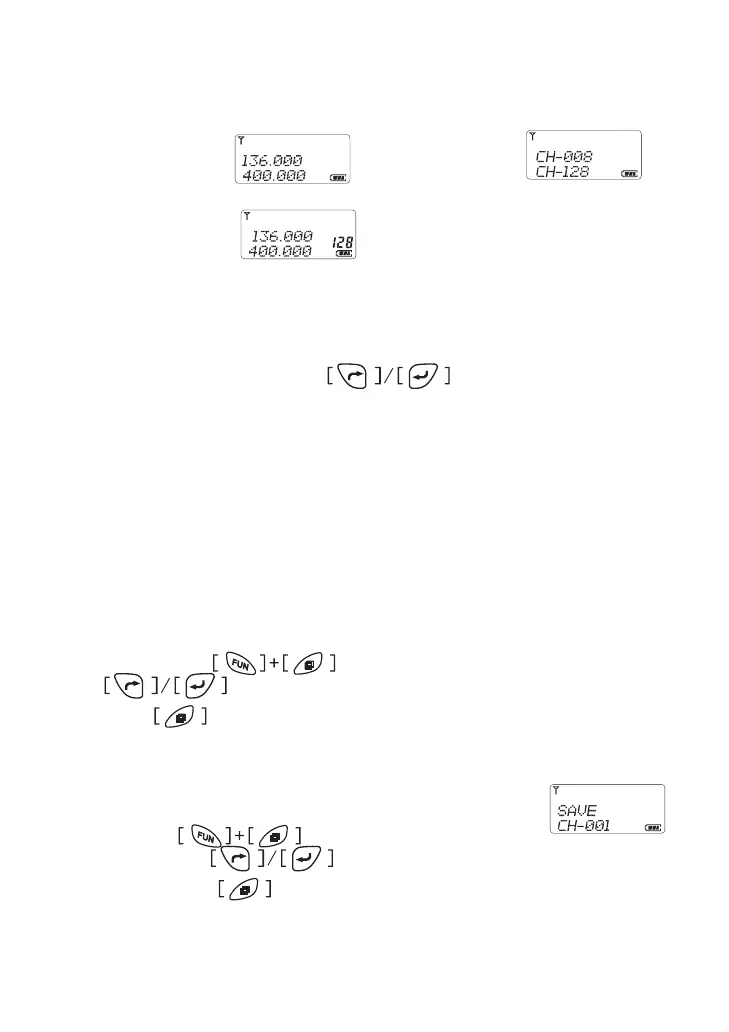
Display Mode
* Frequency Mode Channel Mode
* Memorised Mode
Refer the menu item 6
Channel Selection
In channel mode, pressing the button to increase or
decrease the channel number � The other way, pressing channel number
goes to desired channel by alphanumeric keypad�
Switch Main band to Sub band
In frequency or memorised mode, press ”*” button to toggle main band
and sub band�
Add A Channel
In frequency mode, select desired frequency or any other items like
CTCSS, DCS , press button, The LCD display “SAVE” char,
press
button goes to the channel number you wish to
store, press button to save and exit�
Duplicate A Channel
In channel or memorised mode, select desired channel
number, press button, The LCD display
“COPY” char, press
button goes to the channel number you
wish to store, press button to save and exit�



 To Next Page