PAGE 17
for other setting or press button comes back to
stand by mode�
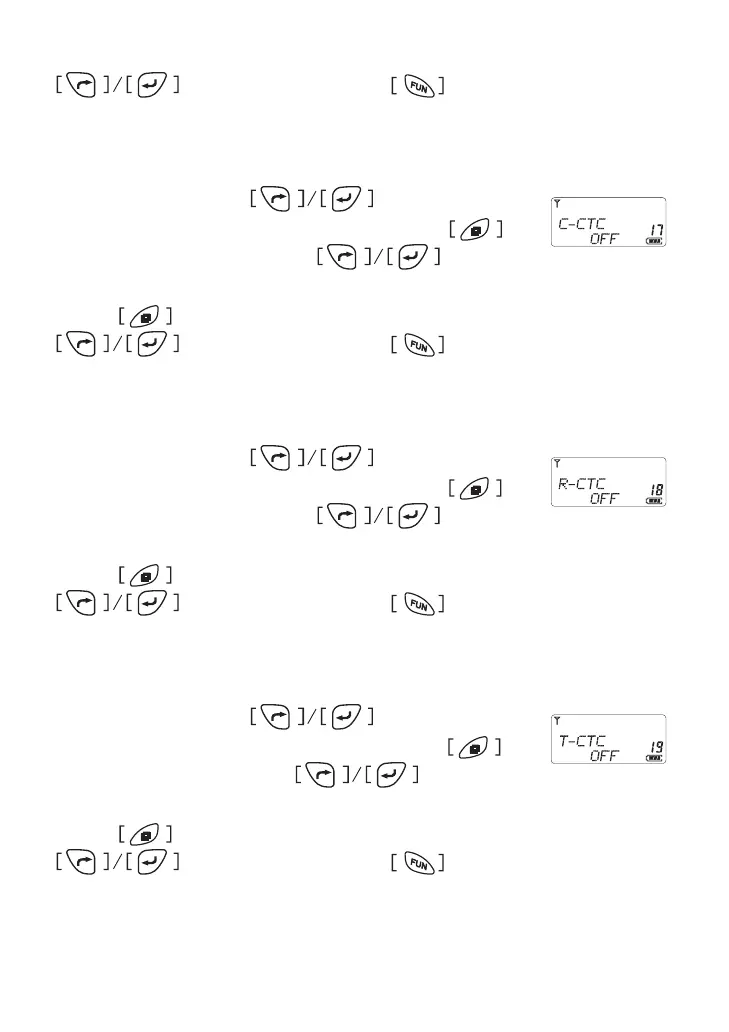
Transmitter & Receiver Sub Tone Setting
In menu mode, press button to select
item 17 until the LCD shows “C-CTC” char, press
to enter the function and press to select
CTCSS code ( press “*” to switch group to DCS)�
Press button to conrm and return to menu mode, press
for other setting or press button comes back to
stand by mode�
Receiver Sub Tone Setting
In menu mode, press button to select
item 18 until the LCD shows “R-CTC” char, press
to enter the function and press to select
CTCSS code ( press “*” to switch group to DCS)�
Press button to conrm and return to menu mode, press
for other setting or press button comes back to
stand by mode�
Transmitter Sub Tone Setting
In menu mode, press button to select
item 19 until the LCD shows “T-CTC” char, press to
enter the function and press to select
CTCSS code ( press “*” to switch group to DCS)�
Press button to conrm and return to menu mode, press
for other setting or press button comes back to
stand by mode�



 To Next Page