PAGE 13
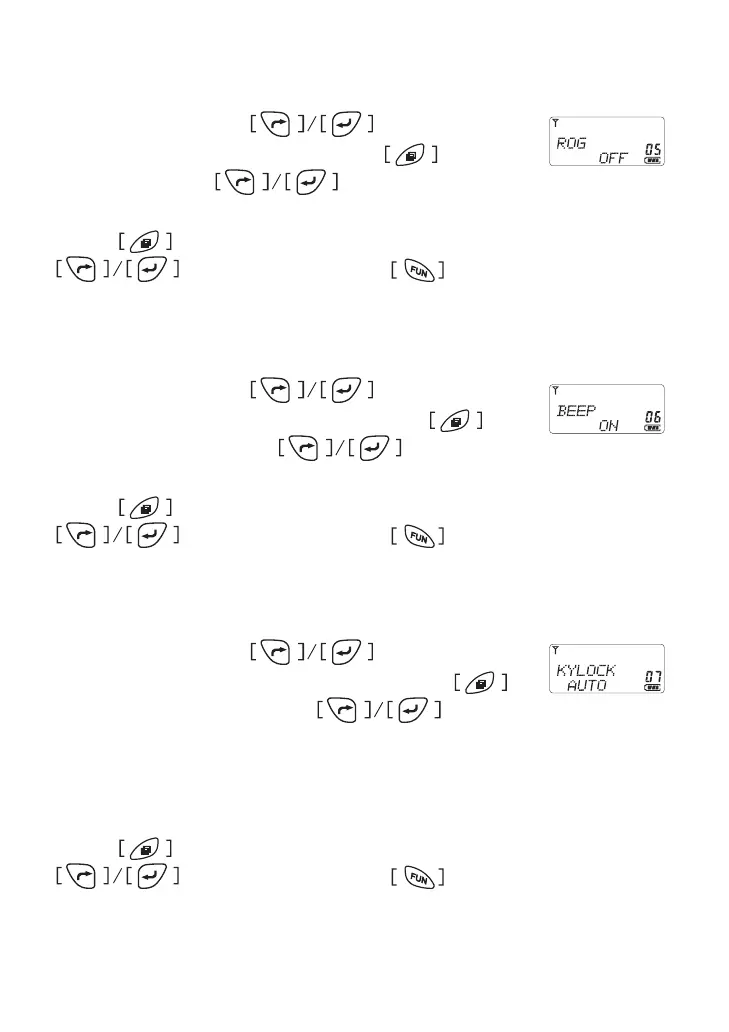
Roger Beep Setting
In menu mode, press button to select
item 5 until the LCD shows “ROG”, press to enter the
function and press to select the beep type
from (0FF, 1, 2�3, 4)�
Press button to conrm and return to menu mode, press
for other setting or press button comes back to
stand by mode�
Beep Setting
In menu mode, press button to select
item 6 until the LCD shows “BEEP” char, press to en-
ter the function and press to select either
On or OFF�
Press button to conrm and return to menu mode, press
for other setting or press button comes back to
stand by mode�
Key Lock
In menu mode, press button to select
item 7 until the LCD shows “KYLOCK” char, press
to enter the function and press to select
from AUTO / MANU
* AUTO: Automatic locked the key after idling 15 seconds
* MANU:Keypad lock by manual.
Press button to conrm and return to menu mode, press
for other setting or press button comes back to
stand by mode�



 To Next Page