PAGE 14
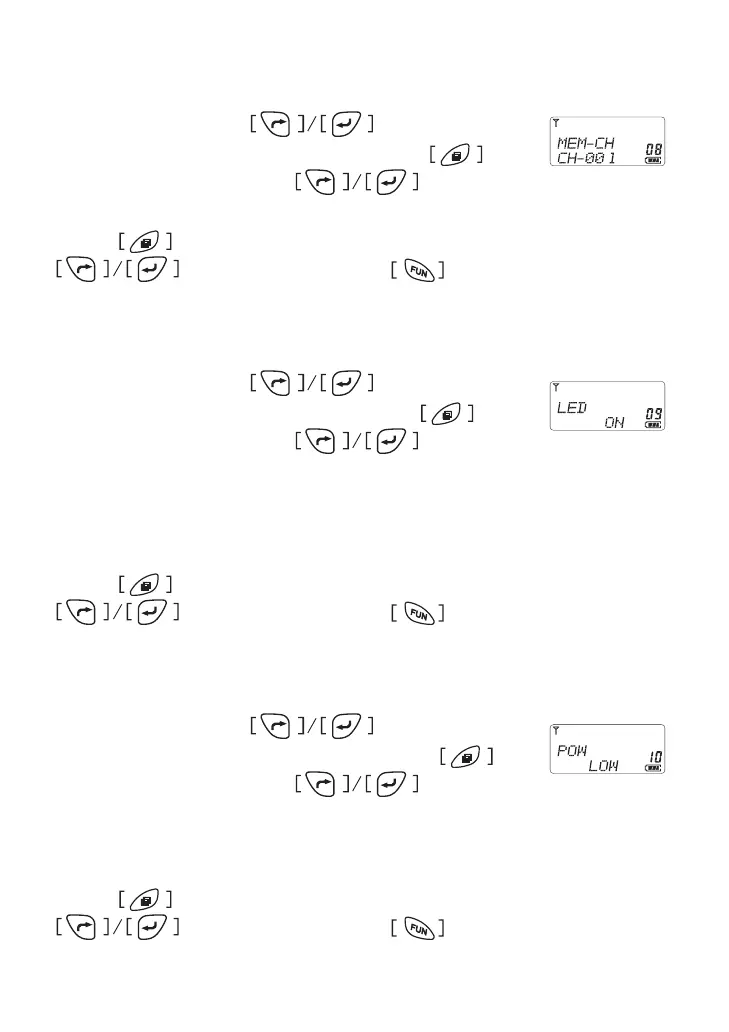
Emergency Channel Setting
In menu mode, press button to select
item 8 until the LCD shows “MEM” char, press to
enter the function and press to select a
channel as emergency channel from channel 1 to 128�
Press button to conrm and return to menu mode, press
for other setting or press button comes back to
stand by mode�
Backlit Setting
In menu mode, press button to select
item 9 until the LCD shows “LED” char, press to
enter the function and press to select from
AUT/OFF/ON�
* AUT: Turn on backlit after any key be pressed for 5 seconds
* ON: Backlit is always on
* OFF: Turn off the backlit( except LAMP button)
Press button to conrm and return to menu mode, press
for other setting or press button comes back to
stand by mode�
Transmit Power Setting
In menu mode, press button to select
item 10 until the LCD shows “POW” char, press to
enter the function and press to select from
High/Low
* High: Hi Power Transmit
* Low: Low Power Transmit
Press button to conrm and return to menu mode, press
for other setting or press button comes back to



 To Next Page