PAGE 10
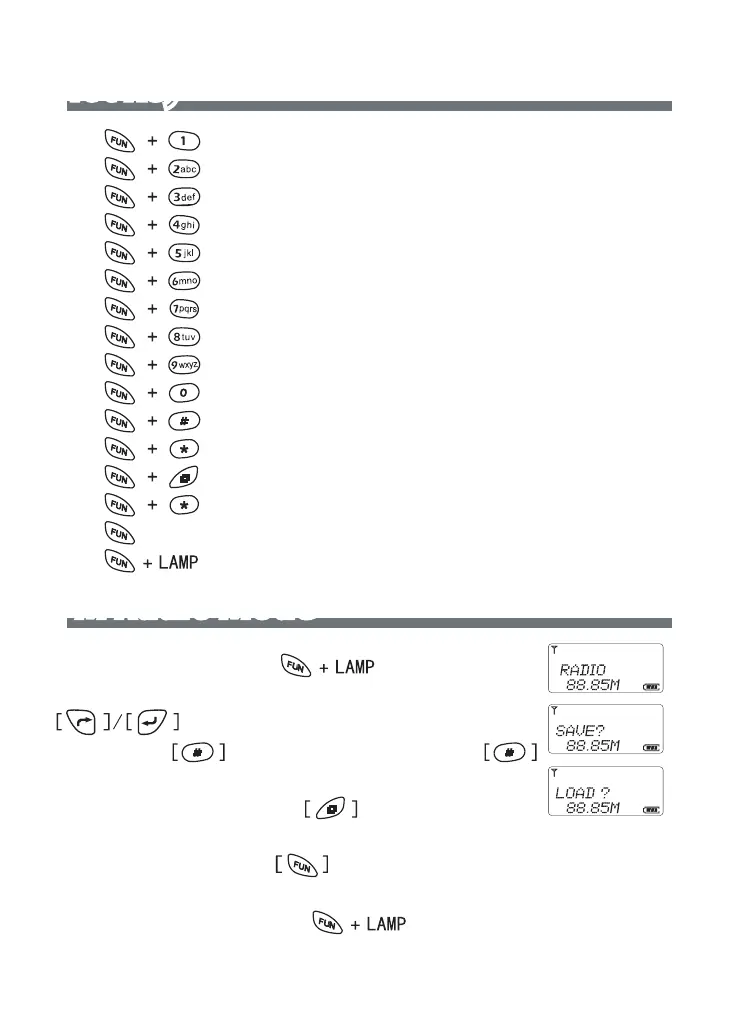
Hot key
* RF Power Setting
*
Squelch Level Setting
*
Display Mode Setting
*
Display Single Band
*
VOX Level Setting
*
TOT Setting
*
Transmitter and Receiver Sub Tone Setting
*
Receiver Sub Tone Setting
*
Transmitter Sub Tone Setting
*
Start Scanning
*
Reverse Frequency
*
Switch to emergency channel
*
Save or duplicate a channel
*
Keypad lock
*
Unlock key pad for 2 second
*
Turn FM Radio On/Off
FM Radio Mode
In stand by mode, press” “ button to en-
ter FM radio setting, The LCD display “RADIO” char, press
button or number to change FM Radio fre-
quency, press button to start scanning, press
button to next scan .
To Save the station: press button, LCD shows
”SAVE” char, press Number 1-9 to save
To Load station: Press
button, the LCD display”LOAD”, press
number 1-9 to load the station last you save.
To exit FM radio mode: press button to quit.



 To Next Page