15
User manual RF-KIT Power Amplifier RF2K-S
Switching area Close
Touching this switching area closes the user menu;
subsequently the main screen will be displayed
5.2.4 Calibration
This menu item is divided into two submenus:
- Poti Cong:
Indication area operating data
- Power Meter Calibration:
Calibration of the internal power measurement
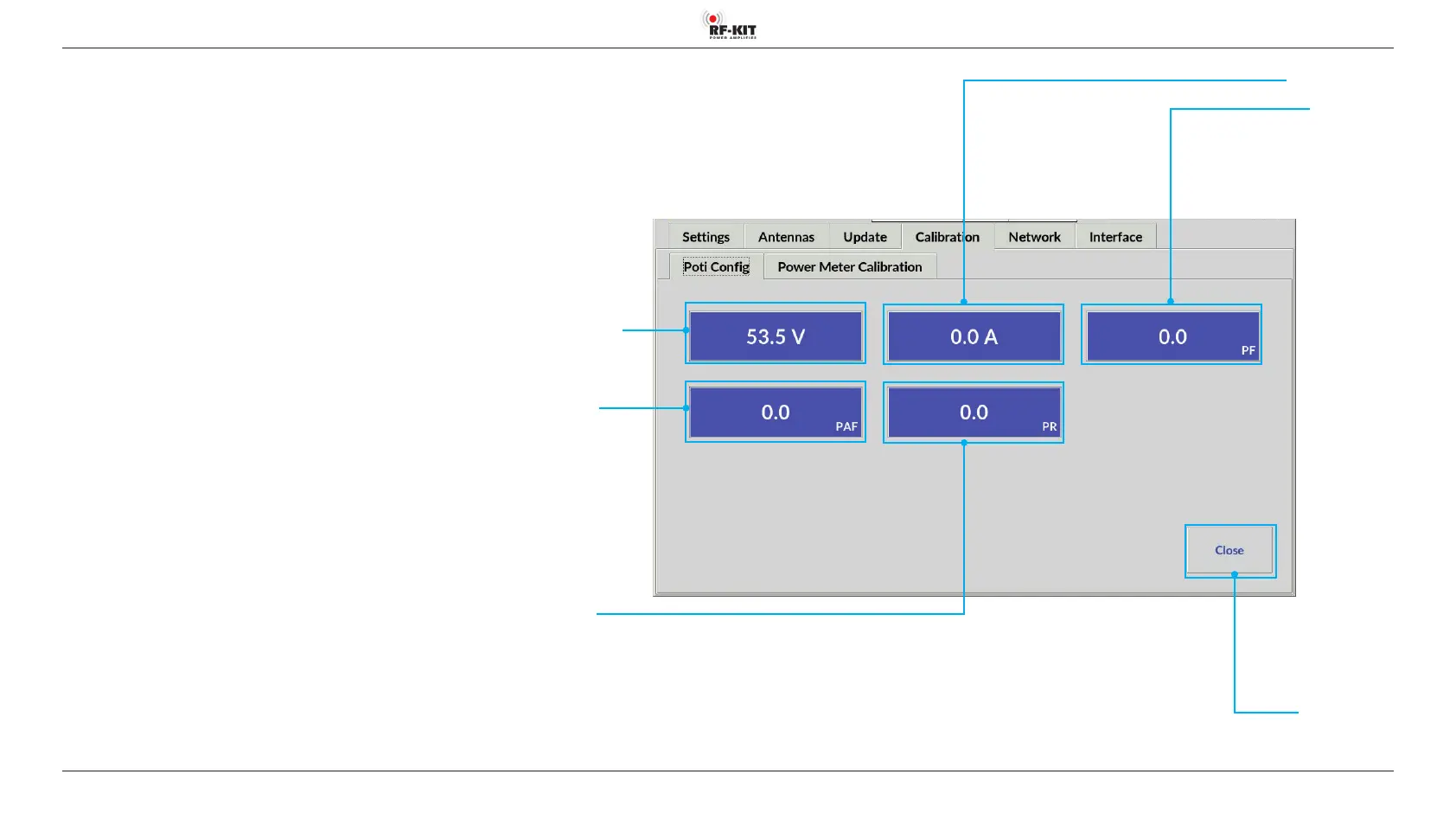
5.2.4.1 Poti Cong
The indication areas on this screen are used during amplier alignment.
- Voltage
Power MOS-FETs Drain voltage
- Current
Power MOS-FETsCurrent consumption
- PF
LPF Power Output
- PAF
PA module Power Output
- PR
Reected Power
Indication area Voltage
Indication area PF
Indication area Current
Indication area PR
Indication area PAF



 To Next Page