25
User manual RF-KIT Power Amplifier RF2K-S
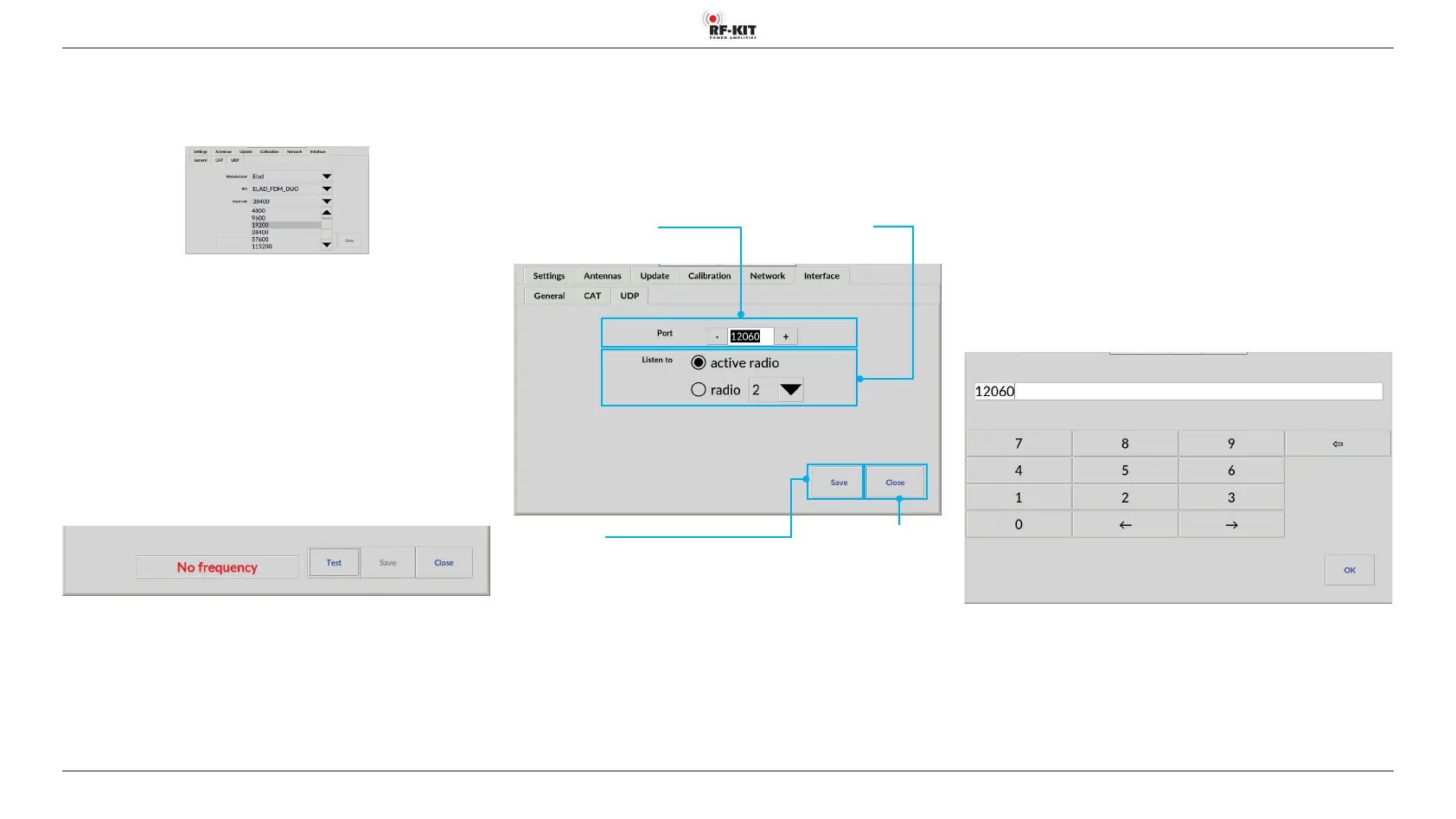
- Selection menu baud rate (connection speed)
► Tap on the black triangle of the selection menu baud rate.
A list of connection speeds appears:
► Tap on the desired connection speed.
The selection menu closes, the selected connection speed is displayed.
- Switching area Test
► Tap on the switching area Test to test the configured CAT data
connection.
If the connection is successful, the frequency set on the exciter/transceiver
is displayed in the CAT connection test indication area.
In the case of a connection problem, in the CAT connection test indicati
-
on area the warning „No frequency“ is displayed:
- Switching area Save
► Tap on the switching area Save to save the configured CAT data
connection.
5.2.6.3 UDP
The User Datagram Protocol (UDP) is a protocol from the TCP/IP world. Va
-
rious programs use UDP to send radio information to certain ports in the
network.
The advantage of UDP is that no CAT interface is needed. This is often alrea-
dy occupied by other programs e.g. for the „DX-Cluster“ or by TRX control
software.
Switching area Close
Touching this switching area
closes the user menu; subsequently
the main screen will be displayed
Indication area / input eld Port
Setting of a desired UDP port address
Selection menu Listen to
Switching area Save
Touching this switching area saves
the UDP connection conguration
The RF2K-S can read this UDP protocol and adjust to the transmit frequen-
cy.
- For example, if „Listen to: radio 2“ is set, the RF2K-S will follow the
radio with the number 2 in the network.
- If „Listen to: active“ is selected, the RF2K+ follows the currently active
radio in the network.
This function is needed when using the RF2K-S as a SO2R PA.
For example:
The N1MM software sends in SO2R mode from both used TRX a UDP pro
-
tocol. From the protocols the RF2K-S can see which radio is currently the
active one and therefore needs the PA at the moment.
UDP was tested with „N1MM“ and „DX-Commander“.
- Indication area / Input field Port (default setting is port 12060.)
► Use the „-“ or „+“ buttons in indication area Port display to set a
desired UDP port address.
Alternatively, you can enter a desired UDP port address directly:
► Tap into the input field/indication area Port.
A virtual keyboard appears for entering the UDP port address:
► Finish entering the UDP port address by tapping the OK switching
area.
The UDP screen is then displayed again.



 To Next Page