14
User manual RF-KIT Power Amplifier RF2K-S
5.2.3 Updates
The graphical user interface (GUI) and the controller rmware are under
continuing development. We therefore recommend that you check for
available Updates from time to time.
If the device is connected to the Internet, you can search here for updates
for the graphical user interface (GUI) and the controller firmware of the
PA. If newer versions are available, they can be installed quickly and easily.
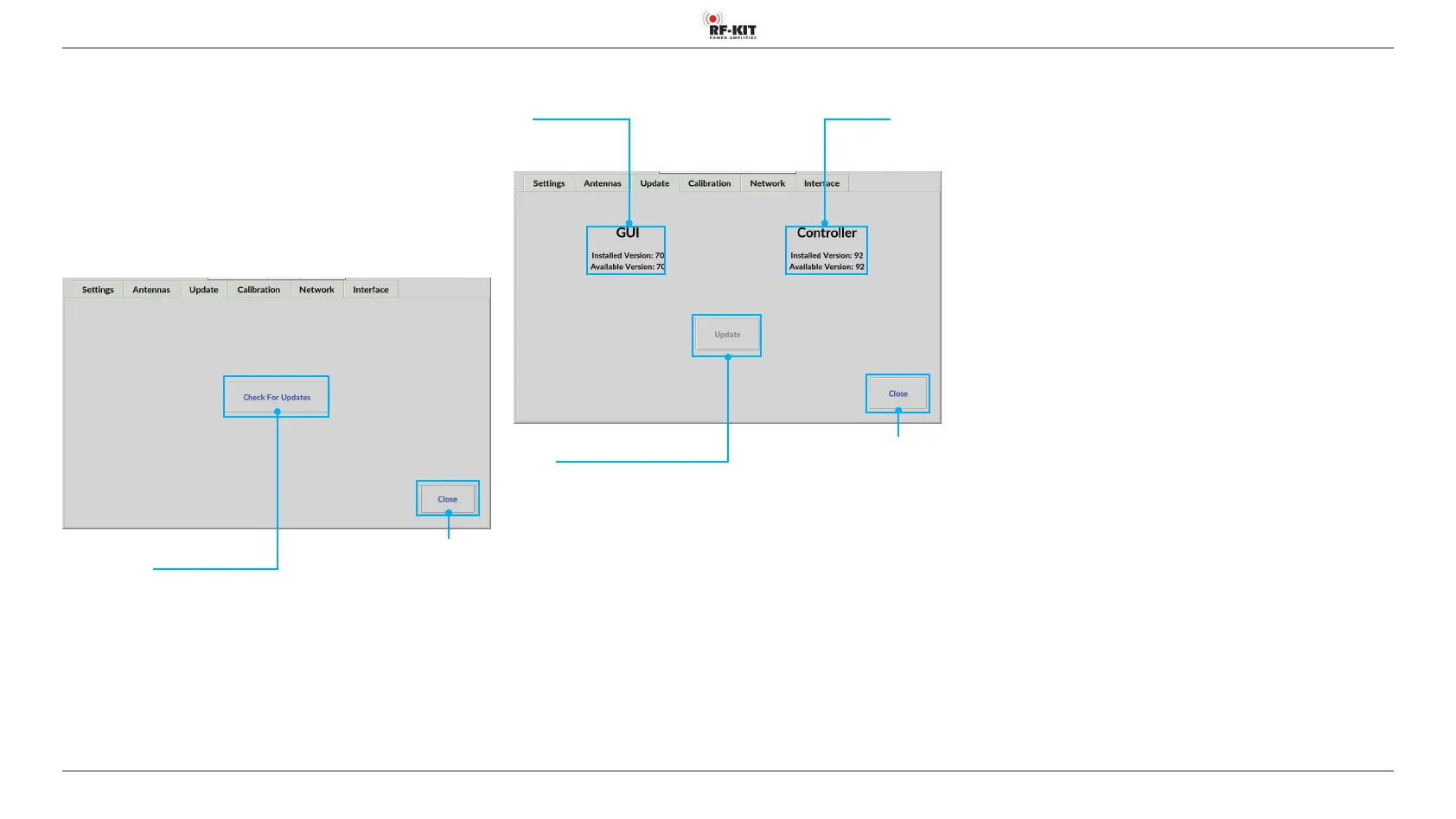
► Tap the switching area Check for Updates to check for available
updates.
Switching area Close
Touching this switching area closes
the user menu; subsequently the main screen
will be displayed
Switching area
Check for Updates
Touching this switching area checks
whether updates are available
► Tap the switching area Update, to start the update process.
Switching area Close
Touching this switching area closes
the user menu without performing
an update; subsequently the main screen
will be displayed
Switching area
Update
Touching this switching area starts
the update process
Software version
GUI
Software version
Controller



 To Next Page